• DİKKAT

    DOSYA İndirmek/Yüklemek için ÜCRETLİ ALTIN ÜYELİK Gereklidir!
    Altın Üyelik Hakkında Bilgi

Google Çeviri (translate)

  • Konbuyu başlatan Konbuyu başlatan halit3
  • Başlangıç tarihi Başlangıç tarihi

halit3

Uzman
Uzman
Katılım
18 Ocak 2008
Mesajlar
12,876
Excel Vers. ve Dili
2003 excell türkçe
ve
2007 excell türkçe
Bu dosyada Google Çeviri (translate) ile yabancı sözcükleri türkçeye çeviri ile ilgili çalışmam.

Kod A sutünundaki verileri B sutünuna türkçe çeviri yapıyor.

Kod:
Private Declare Function ShowWindow Lib "user32" (ByVal hWnd As Long, ByVal nCmdShow As Long) As Long

Private Sub CommandButton1_Click()
Dim URL As String
Dim ie As Object

Columns("B:B").ClearContents
URL = "https://translate.google.com.tr/#auto/tr"
Set ie = CreateObject("InternetExplorer.Application")
With ie
.navigate URL
.Visible = 1
ShowWindow ie.hWnd, 6
Do Until ie.ReadyState = 4: DoEvents: Loop
Do While ie.busy: DoEvents: Loop
ie.document.all("gt-submit").Click
Application.Wait (Now + TimeValue("00:00:02"))

For i = 1 To Worksheets(ActiveSheet.Name).Cells(Rows.Count, 1).End(3).Row
ie.document.all("source").Value = Cells(i, 1).Value
Application.Wait (Now + TimeValue("00:00:01"))
ie.document.all("gt-submit").Click

Do Until ie.ReadyState = 4: DoEvents: Loop
Do While ie.busy: DoEvents: Loop
Cells(i, 2).Select
Cells(i, 2) = ie.document.GetElementsByTagName("div")("gt-res-dir-ctr").GetElementsByTagName("span")("result_box").innertext
Next i
ie.Quit: Set ie = Nothing
End With

MsgBox ("Bitti  ")
End Sub
 

Ekli dosyalar

Elinize sağlık Halit Bey,
Güzel bir çalışma olmuş.
 
Sayın halit3 merhaba,

Paylaşım için teşekkürler.
 
Excell Google 64 dilde çeviri

Merhaba arkadaşlar buna benzer bir çalışma
 

Ekli dosyalar

Son düzenleme:
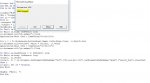
Excel2010 kullanıyorum...

Ekran görüntüsünü eklediğim hata mesajını alıyorum.
 

Ekli dosyalar

  • Adsız.jpg
    Adsız.jpg
    20.1 KB · Görüntüleme: 14
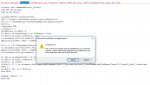
Excel2010 kullanıyorum...

Ekran görüntüsünü eklediğim hata mesajını alıyorum.

64 bit sorunu olarak gözüküyor


Kod:
#If Win64 Then
Private Declare PtrSafe Function ShowWindow Lib "user32" (ByVal hWnd As Long, ByVal nCmdShow As Long) As Long
#Else
Private Declare Function ShowWindow Lib "user32" (ByVal hWnd As Long, ByVal nCmdShow As Long) As Long
#End If


Private Sub CommandButton1_Click()
Dim URL As String
Dim ie As Object
Columns("B:B").ClearContents
URL = "https://translate.google.com.tr/#auto/tr"
Set ie = CreateObject("InternetExplorer.Application")
With ie
.navigate URL
.Visible = 1
ShowWindow ie.hWnd, 6
Do Until ie.ReadyState = 4: DoEvents: Loop
Do While ie.busy: DoEvents: Loop
ie.document.all("gt-submit").Click
Application.Wait (Now + TimeValue("00:00:02"))
For i = 1 To Worksheets(ActiveSheet.Name).Cells(Rows.Count, 1).End(3).Row
ie.document.all("source").Value = Cells(i, 1).Value
Application.Wait (Now + TimeValue("00:00:01"))
ie.document.all("gt-submit").Click
Do Until ie.ReadyState = 4: DoEvents: Loop
Do While ie.busy: DoEvents: Loop
Cells(i, 2).Select
Cells(i, 2) = ie.document.GetElementsByTagName("div")("gt-res-dir-ctr").GetElementsByTagName("span")("result_box").innertext
Next i
ie.Quit: Set ie = Nothing
End With

MsgBox ("Bitti  ")

End Sub
 
Son düzenleme:
Api siz böylede kullanabilirsiniz.

Kod:
Private Sub CommandButton1_Click()
Dim URL As String
Dim ie As Object

Columns("B:B").ClearContents
URL = "https://translate.google.com.tr/#auto/tr"
Set ie = CreateObject("InternetExplorer.Application")

With ie
.Navigate URL
.Visible = True
[COLOR="Red"].Width = 300
.Height = 100
.Left = 50[/COLOR]
Do Until ie.ReadyState = 4: DoEvents: Loop
Do While ie.busy: DoEvents: Loop
ie.document.all("gt-submit").Click
Application.Wait (Now + TimeValue("00:00:02"))

For i = 1 To Worksheets(ActiveSheet.Name).Cells(Rows.Count, 1).End(3).Row
ie.document.all("source").Value = Cells(i, 1).Value
Application.Wait (Now + TimeValue("00:00:01"))
ie.document.all("gt-submit").Click

Do Until ie.ReadyState = 4: DoEvents: Loop
Do While ie.busy: DoEvents: Loop
Cells(i, 2).Select
Cells(i, 2) = ie.document.GetElementsByTagName("div")("gt-res-dir-ctr").GetElementsByTagName("span")("result_box").innertext
Next i
ie.Quit: Set ie = Nothing
End With

MsgBox ("Bitti  ")
End Sub
 
Yeni kodları yapıştırınca sorun kalktı.. Teşekkürler
 
Declare PtrSafe Sub 64 bitte ekleyince bende de oldu
 
Hocam güzel çalışma emeğinize sağlık
 
Merhaba
Kod:
ie.document.all("gt-submit").Click

bu satırda hata vermekte,
yardımcı olursanız sevinirim.

Teşekkürler,
 

Ekli dosyalar

  • 12345.JPG
    12345.JPG
    73 KB · Görüntüleme: 10
Sayfa kod kısmı değişmiş sanırım. Şu anda çalışmıyor. Kod bölümünde result_box yok.
Bir de GetElementsByTagName("div")("gt-res-dir-ctr") burada item kısmına ikinci ifade kullanımı olayını kod kısmında gt-res-dir-ctr olmadığı için anlayamadım.
 
Bu kod çalışıyor

Kod:
Sub verial()
Range("B1:B" & Rows.Count).ClearContents

Dim URL As String
Dim IE As Object

URL = "https://translate.google.com.tr/#auto/tr"
Set IE = CreateObject("InternetExplorer.Application")

IE.Width = 100
IE.Height = 100
IE.Left = 10 '250
IE.Top = 0
IE.navigate URL
IE.Visible = 1
Do Until IE.ReadyState = 4: DoEvents: Loop
Do While IE.Busy: DoEvents: Loop

Application.Wait (Now + TimeValue("00:00:01"))
'On Error Resume Next
For i = 1 To Worksheets(ActiveSheet.Name).Cells(Rows.Count, 1).End(3).Row

IE.document.all("source").Value = Cells(i, 1).Value
Application.Wait (Now + TimeValue("00:00:01"))
Do Until IE.ReadyState = 4: DoEvents: Loop
Do While IE.Busy: DoEvents: Loop
Application.Wait (Now + TimeValue("00:00:01"))
Cells(i, 2).Select

say = 0
For Each bb In IE.document.getElementsByTagName("span")
say = say + 1
If say = 24 Then
Cells(i, 2).Value = bb.InnerText
GoTo atla
End If
Next bb
atla:

Next i
IE.Quit: Set IE = Nothing
MsgBox ("Bitti  ")

End Sub
 
Halit Bey cevabınız için ve çalışmalarınız için teşekkürler.
GetElementsByTagName("div")("gt-res-dir-ctr") satırında ("gt-res-dir-ctr") işlevi nedir. Genelde GetElementsByTagName("div")(4) şeklinde item numarası yazılıyor.
 
Web sitesinin alt yapısı değişmiş bu obje yok
gt-res-dir-ctr

bu objenin ID adı veya sizin yazdığınız gibi sayısal adı da olur ancak sayısal adı değişebilir ID adı değişmez
 
kod bu şekilde de olabilir

Kod:
Sub verial2()
Range("B1:B" & Rows.Count).ClearContents

Dim URL As String
Dim IE As Object

URL = "https://translate.google.com.tr/#auto/tr"
Set IE = CreateObject("InternetExplorer.Application")

IE.Width = 100
IE.Height = 100
IE.Left = 10 '250
IE.Top = 0
IE.navigate URL
IE.Visible = 1
Do Until IE.ReadyState = 4: DoEvents: Loop
Do While IE.Busy: DoEvents: Loop

Application.Wait (Now + TimeValue("00:00:01"))
'On Error Resume Next
For i = 1 To Worksheets(ActiveSheet.Name).Cells(Rows.Count, 1).End(3).Row

IE.document.all("source").Value = Cells(i, 1).Value
Application.Wait (Now + TimeValue("00:00:01"))
Do Until IE.ReadyState = 4: DoEvents: Loop
Do While IE.Busy: DoEvents: Loop
Application.Wait (Now + TimeValue("00:00:01"))
Cells(i, 2).Select

veri1 = IE.document.getElementsByTagName("span")(23).InnerText

If veri1 = "Çeviri" Then
veri1 = IE.document.getElementsByTagName("span")(24).InnerText
End If

If veri1 = "Çevriliyor..." Then
veri1 = IE.document.getElementsByTagName("span")(25).InnerText
End If

Cells(i, 2).Value = veri1

Next i
IE.Quit: Set IE = Nothing
MsgBox ("Bitti  ")

End Sub
 
Halit Hocam çözümleriniz için çok teşekkür ederim.
"gt-res-dir-ctr" ifade İD adı mı? getElementById("gt-res-dir-ctr") şeklinde kullanılıyor diye biliyordum. Bu şekilde kullanımına hiç denk gelmemişti.
 
kod bu şekilde de olabilir

Kod:
Sub verial2()
Range("B1:B" & Rows.Count).ClearContents

Dim URL As String
Dim IE As Object

URL = "https://translate.google.com.tr/#auto/tr"
Set IE = CreateObject("InternetExplorer.Application")

IE.Width = 100
IE.Height = 100
IE.Left = 10 '250
IE.Top = 0
IE.navigate URL
IE.Visible = 1
Do Until IE.ReadyState = 4: DoEvents: Loop
Do While IE.Busy: DoEvents: Loop

Application.Wait (Now + TimeValue("00:00:01"))
'On Error Resume Next
For i = 1 To Worksheets(ActiveSheet.Name).Cells(Rows.Count, 1).End(3).Row

IE.document.all("source").Value = Cells(i, 1).Value
Application.Wait (Now + TimeValue("00:00:01"))
Do Until IE.ReadyState = 4: DoEvents: Loop
Do While IE.Busy: DoEvents: Loop
Application.Wait (Now + TimeValue("00:00:01"))
Cells(i, 2).Select

veri1 = IE.document.getElementsByTagName("span")(23).InnerText

If veri1 = "Çeviri" Then
veri1 = IE.document.getElementsByTagName("span")(24).InnerText
End If

If veri1 = "Çevriliyor..." Then
veri1 = IE.document.getElementsByTagName("span")(25).InnerText
End If

Cells(i, 2).Value = veri1

Next i
IE.Quit: Set IE = Nothing
MsgBox ("Bitti  ")

End Sub
Teşekkurler,
 
Geri
Üst