



-
DİKKAT DOSYA İndirmek/Yüklemek için ÜCRETLİ ALTIN ÜYELİK Gereklidir!
Altın Üyelik Hakkında Bilgi
Çok eski bir web tarayıcısı kullanıyorsunuz. Bu veya diğer siteleri görüntülemekte sorunlar yaşayabilirsiniz..
Tarayıcınızı güncellemeli veya alternatif bir tarayıcı kullanmalısınız.
Tarayıcınızı güncellemeli veya alternatif bir tarayıcı kullanmalısınız.
listboxda listeleme
- Konbuyu başlatan kirazzzz
- Başlangıç tarihi
- Katılım
- 17 Nisan 2013
- Mesajlar
- 54
- Excel Vers. ve Dili
- 2007 ve 2010
dosyayı ekle
konu ile ilgili dosyayı ekleyebilir msiniz?
konu ile ilgili dosyayı ekleyebilir msiniz?
- Katılım
- 19 Mart 2008
- Mesajlar
- 2,154
- Excel Vers. ve Dili
- Office 2007 Enterprise
Türkçe
Bir tane listbox ekledim ve buna excel sayfasındaki verileri listelettirdim ama hangi sayfasının üzerindeyse ondaki verileri listeliyor listelemenin başka bir yolu varsa yardım edebilirseniz sevinirim.
Merhaba, Hangi userform için sonuç alamadınınız. Yenigelen ve yeni giden içinse
aşağıdaki kodu (kırmızılı yeri) sayfaya göre düzenleyerek değiştirin.
Kod:
Private Sub UserForm_Initialize()
Sheets("[COLOR="Red"][B]gelen[/B][/COLOR]").Select
ListBox2.ColumnCount = 9
ListBox2.ColumnWidths = "150;80"
ListBox2.RowSource = "A4:I" & [A65536].End(3).Row
End SubArkadaşlar merhaba. Eski tarihli bir konu fakat benim sorunumla ilişkili olduğu için konu açmadan buraya yazdım.
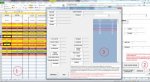
Ekteki dosyamda userform2 de takip kontrol sistemi butonuna basınca işlevi tamamladıktan sonra userform 4 de gerekli bilgileri listeliyor. yapmak istediğim şey userform4 teki listboxtaki veriye tıkladığımda excelde o ilgili hücredeki verileri textboxlara almak istiyorum.
2. isteğim ise; Userfom2deki listbox veriye tıklayınca excellde ilgili hücrenin "A" sütunundaki karşılığı seçiliyor. Aynı mantıkla userform4 teki listboxta da yapmak istiyorum.
Aciklamalar ekteki dosyada mevcuttur.
Yardımlarınızı bekliyorum.
Ekteki dosyamda userform2 de takip kontrol sistemi butonuna basınca işlevi tamamladıktan sonra userform 4 de gerekli bilgileri listeliyor. yapmak istediğim şey userform4 teki listboxtaki veriye tıkladığımda excelde o ilgili hücredeki verileri textboxlara almak istiyorum.
2. isteğim ise; Userfom2deki listbox veriye tıklayınca excellde ilgili hücrenin "A" sütunundaki karşılığı seçiliyor. Aynı mantıkla userform4 teki listboxta da yapmak istiyorum.
Aciklamalar ekteki dosyada mevcuttur.
Yardımlarınızı bekliyorum.
Ekli dosyalar
Arkadaşlar ekteki dosyada verilerin texboxa gelme işlemini yaptım fakat userform4 sizde dosyayı çalıştırdığınızda göreceksiniz listbox1 den seçtiğim verinin adresi excelde farklı hücrede görünüyor bu sorunu halletmem lazım. Nasıl yapabilirim? Userform4 açıldığında excel sayfasını normal konuma getirdiğinizde anlayacaksınız farklı hücreler seçildiğini. Yani listboxtaki veri bilgileri ile excellde işaretli hücreler uyuşmuyor. Allah rızası için yardım lütfen.
teşekkür ederim.
teşekkür ederim.
Ekli dosyalar
Son düzenleme:
Arkadaşlar selamlar Konula ilgili şöyle bir çözüm önerim var fakat koda dönüştüremedim. Renkli yazdığım yerde belirttim.
Ekteki dosyada şöyle bir işlem yapıyorum. Userform2 de tarih sütunundaki veriye göre komutla ilgili satırlara 3 gün ve 8 gün sonrasına tarih atatıyorum ve bu tarihleri daha sonra takip kontrol sistemi butonu yardımıyla userform4 te listeletiyorum ve listbox yardımıyla verileri getiriyorum. Şimdi yapmak istediğim listboxta tıkladığım veri textboxlara geliyor ve ben seçtiğim veriyi aynı zamanda excell üzerinden de "A"sütununda hangi satırdaysa o satırdaki "A" hücresi seçili olsun istiyorum.Örneğin listboxtaki veri 2. satırda ama excellde 9. satırdaysa o 9. satırdaki "A9" hücresini seçeyim istiyorum. Bunu yapabilmek için şöyle bir çözümüm var ama bir türlü bunu koda dönüştüremedim. userform4 deki verileri listboxa "EA4"ve "EB4" hücrelerinden aldırıyorum. "EA4= Raf No" "EB4=Kat No". Şimdi ben örneğin listboxtaki 1.satırda seçtiğim verinin karşılığı excelde atıyorum 3.satırdaysa bunu seçebilmem için "EA4"(Raf No) veriyle "A" sütunundaki veriyi eşleştirilip (sanırım bul komutu ile yapılıyor) eşleşen değeri "A" sütununda nerdeyse o hücreyi seçtirerek yapabilirim sanırım. Bunu yapmam için nasıl bir kod yazmam lazım yardımcı olabilecek var mıdır? Çok uzun oldu sanırım. Anlamadığını bir yer olursa lütfen sorun aktarayım tekrardan. Yardımlarınızı bekliyorum arkadaşlar. ekli dosyada örneklemem mevcut.
Ekteki dosyada şöyle bir işlem yapıyorum. Userform2 de tarih sütunundaki veriye göre komutla ilgili satırlara 3 gün ve 8 gün sonrasına tarih atatıyorum ve bu tarihleri daha sonra takip kontrol sistemi butonu yardımıyla userform4 te listeletiyorum ve listbox yardımıyla verileri getiriyorum. Şimdi yapmak istediğim listboxta tıkladığım veri textboxlara geliyor ve ben seçtiğim veriyi aynı zamanda excell üzerinden de "A"sütununda hangi satırdaysa o satırdaki "A" hücresi seçili olsun istiyorum.Örneğin listboxtaki veri 2. satırda ama excellde 9. satırdaysa o 9. satırdaki "A9" hücresini seçeyim istiyorum. Bunu yapabilmek için şöyle bir çözümüm var ama bir türlü bunu koda dönüştüremedim. userform4 deki verileri listboxa "EA4"ve "EB4" hücrelerinden aldırıyorum. "EA4= Raf No" "EB4=Kat No". Şimdi ben örneğin listboxtaki 1.satırda seçtiğim verinin karşılığı excelde atıyorum 3.satırdaysa bunu seçebilmem için "EA4"(Raf No) veriyle "A" sütunundaki veriyi eşleştirilip (sanırım bul komutu ile yapılıyor) eşleşen değeri "A" sütununda nerdeyse o hücreyi seçtirerek yapabilirim sanırım. Bunu yapmam için nasıl bir kod yazmam lazım yardımcı olabilecek var mıdır? Çok uzun oldu sanırım. Anlamadığını bir yer olursa lütfen sorun aktarayım tekrardan. Yardımlarınızı bekliyorum arkadaşlar. ekli dosyada örneklemem mevcut.
Ekli dosyalar
Son düzenleme:
kod devamında takıldım
arkadaşlar yukarıdaki döngüde "A" ve "EA" sütunlarını eşitliyorum. Eşitleme gerçekleştiğinde ilgili A hücresini nasıl seçili olarak işaretleyebilirim?
kodun devamı için desteğinizi rica ederim.
Kod:
Sub sütunkontrol()

 Dim X As Long,


    For X = 4 To [A:A].Find("*", , , , xlByRows, xlPrevious).Row

        If WorksheetFunction.CountIf(Range("EA:EA"), Cells(X, "A")) = 0 Then

                                             .
                                             .
                                             .
                                             .


         End If
    Next

End Sub
arkadaşlar yukarıdaki döngüde "A" ve "EA" sütunlarını eşitliyorum. Eşitleme gerçekleştiğinde ilgili A hücresini nasıl seçili olarak işaretleyebilirim?
kodun devamı için desteğinizi rica ederim.
Deneyiniz
Kod:Range("A" & X).select
hocam teşekkür ederim cevabınız için fakat kodu denediğim zaman A sütunundaki hep son hücreyi seçiyor acaba kodu yanlış mı yazdım?
Kod:
sub sütunkontrol()

Dim X As Long

    For X = 4 To [A:A].Find("*", , , , xlByRows, xlPrevious).Row

        If WorksheetFunction.CountIf(Range("EA:EA"), Cells(X, "A")) = 0 Then

          Range("A" & X).Select

         End If
    Next

End Sub
ben bu kodu listbox içersinde döngü kurdurarak yapacağım ama şuan kod he "A" sütunndaki son veriyi alıyor. Neden acaba gözden kaçırdığım bir noktamı var acaba?

- Katılım
- 1 Mart 2005
- Mesajlar
- 22,239
- Excel Vers. ve Dili
- Win7 Home Basic TR 64 Bit
Ofis-2010-TR 32 Bit
Seçmeyin direk verileri alın.hocam teşekkür ederim cevabınız için fakat kodu denediğim zaman A sütunundaki hep son hücreyi seçiyor acaba kodu yanlış mı yazdım?
Kod:sub sütunkontrol() Dim X As Long For X = 4 To [A:A].Find("*", , , , xlByRows, xlPrevious).Row If WorksheetFunction.CountIf(Range("EA:EA"), Cells(X, "A")) = 0 Then Range("A" & X).Select End If Next End Sub
ben bu kodu listbox içersinde döngü kurdurarak yapacağım ama şuan kod he "A" sütunndaki son veriyi alıyor. Neden acaba gözden kaçırdığım bir noktamı var acaba?
Kod:
listbox1.additem range("A" & X).valueSeçmeyin direk verileri alın.
Kod:listbox1.additem range("A" & X).value
hocam bu seferde sürekli aynı verileri aldı. Aslında yapmak istediğim şey şu; listbox1 "EA4" sütunundan veri listeliyorum o listelediğim veriyi listboxtan seçtiğimde "A" sütunundaki ilgili hücresi hangisi ise onu seçsin istiyorum. Örnek; "EA6" bir veriyi listboxta 3.satırda görüyorum diyelim ben listboxtan 3. satırdaki veriyi tıkladığımda o veri "A" sütununda da atıyorum 15. satırda olsun yani "A15" te olsun işte o "A15" hücresini seçsin istiyorum. Bunun içinde böyle bir çözüm üretmeye çalıştım ama mantık yanlışmı acaba? Bir proje yapıyorum ve çözemedim birtürlü
Aşağıdaki Ekli dosyayı inceleyiniz.
hocam ekli dosyanızı kontrol ettim bu komut hücreleri sırayla tek tek seçiyor ben bu işlemi
Kod:
Sheets("sayfa1").Range("A" & ListBox1.ListIndex + 4).SelectBen anlamadım.
Başka arkadaşlardan yardım almayı bekleyiniz.
Kod:
Dim z

For z = 4 To [C:C].Find("*", , , , xlByRows, xlPrevious).Row '4. satırdan itibaren  "C" hücresi için dolu satır sayısınca döngü yapıyor
Cells(z, "D").Value = Format(Cells(z, "C").Value + 3, "dd.mm.yyyy") ' c sutununa 3 günlük tarihi yazıyor

Next
For z = 4 To [C:C].Find("*", , , , xlByRows, xlPrevious).Row '4. satırdan itibaren  "C" hücresi için dolu satır sayısınca döngü yapıyor
Cells(z, "G").Value = Format(Cells(z, "C").Value + 11, "dd.mm.yyyy") ' c sutununa 3 günlük tarihi yazıyor

Next

Dim i, mydate, DUN
mydate = CDate(FormatDateTime(Now, vbShortDate))
DUN = CDate(FormatDateTime((Now - TimeSerial(24, 0, 0)), vbShortDate)) ' bu günden bir gün oncesinin tarihini buluyor dün
    For i = 4 To [D:D].Find("*", , , , xlByRows, xlPrevious).Row '4. satırdan itibaren dolu satır sayısınca döngü yapıyor
        'MsgBox CDate(FormatDateTime(Cells(i, "C").Value, vbShortDate))

        If Cells(i, "F").Value = "" Then
        If CDate(FormatDateTime(Cells(i, "D").Value, vbShortDate)) = mydate Or CDate(FormatDateTime(Cells(i, "D").Value, vbShortDate)) = DUN Then
        Cells(i, "E").Value = "Takip günü geldi"
            Range("A" & i & ":AQ" & i).Select
        With Selection.Interior
       .Pattern = xlSolid
        .PatternColorIndex = xlAutomatic
        .Color = 65535 'seçili hücre rengini sarı yapıyor
        .TintAndShade = 0
        .PatternTintAndShade = 0
        End With
    With Selection.Font
        .ThemeColor = xlThemeColorLight1
        .TintAndShade = 0
    End With
    Selection.Font.Bold = True
        Else
        If CDate(FormatDateTime(Cells(i, "D").Value, vbShortDate)) > mydate Then
                Cells(i, "E").Value = "Takip devam ediyor"
        Range("A" & i & ":AQ" & i).Select
                With Selection.Interior
         .Pattern = xlSolid
        .PatternColorIndex = xlAutomatic
        .ThemeColor = xlThemeColorAccent6
        .TintAndShade = -0.249977111117893
        .PatternTintAndShade = 0 ' seçili hücre rengini turuncu yapıyor
        .TintAndShade = 0
        .PatternTintAndShade = 0
                End With
    With Selection.Font
      .ThemeColor = xlThemeColorDark1
        .TintAndShade = 0
    End With
    Selection.Font.Bold = True
        Else
        Cells(i, "E").Value = "Takip günü geçti"
        Range("A" & i & ":AQ" & i).Select
        With Selection.Interior
        .Pattern = xlSolid
        .PatternColorIndex = xlAutomatic
        .Color = 10498160 ' seçili hücreyi mor yapıyor
        .TintAndShade = 0
        .PatternTintAndShade = 0
End With
With Selection.Font
        .ThemeColor = xlThemeColorDark1
        .TintAndShade = 0
      End With
    Selection.Font.Bold = True
                 End If
               End If
            End If
Next

Dim n
For n = 4 To [E:E].Find("*", , , , xlByRows, xlPrevious).Row ' 4. satırdan itibaren  "E" hücresi için dolu satır sayısınca döngü yapıyor
If Cells(n, "F") = "Aylık takipte" Then Cells(n, "E").Value = ""
If Cells(n, "F") = "Devam etmekte" Then Cells(n, "E").Value = ""
If Cells(n, "F") = "Vazgeçildi" Then Cells(n, "E").Value = ""
If Cells(n, "F") = "Geldi" Then Cells(n, "E").Value = ""
If Cells(n, "F") = "Siparişte" Then Cells(n, "E").Value = ""
Next

Dim a
Sheets("Btck").Range("EA4:EB" & Rows.Count).ClearContents
For a = 1 To [E:E].Find("*", , , , xlByRows, xlPrevious).Row
If Cells(i, "F").Value = "" Then
If Cells(a, 5) = "Takip günü geldi" Then
[ea1048576].End(xlUp).Offset(1, 0) = Cells(a, 1)
[eb1048576].End(xlUp).Offset(1, 0) = Cells(a, 2)
Range(Cells(a, 1), Cells(a, 43)).Select
                With Selection.Interior
        .Pattern = xlSolid
        .PatternColorIndex = xlAutomatic
        .Color = 65535   ' seçilen hücreyi sarı yapıyor
        .TintAndShade = 0
        .PatternTintAndShade = 0
                End With
    With Selection.Font
        .ThemeColor = xlThemeColorLight1
        .TintAndShade = 0
    End With
End If
End If
Next a
If [EA4] <> "" Then
If [EB4] <> "" Then
MsgBox "Takip edilecek verilerini kontrol et.", vbInformation, "A++"
UserForm4.Show
End If
End If

End SubEkli dosyalar
Son düzenleme:


-
Sizlere daha iyi bir deneyim sunabilmek icin sitemizde çerez konumlandırmaktayız, web sitemizi kullanmaya devam ettiğinizde çerezler ile toplanan kişisel verileriniz Veri Politikamız / Bilgilendirmelerimizde belirtilen amaçlar ve yöntemlerle mevzuatına uygun olarak kullanılacaktır.