



-
DİKKAT DOSYA İndirmek/Yüklemek için ÜCRETLİ ALTIN ÜYELİK Gereklidir!
Altın Üyelik Hakkında Bilgi
Çok eski bir web tarayıcısı kullanıyorsunuz. Bu veya diğer siteleri görüntülemekte sorunlar yaşayabilirsiniz..
Tarayıcınızı güncellemeli veya alternatif bir tarayıcı kullanmalısınız.
Tarayıcınızı güncellemeli veya alternatif bir tarayıcı kullanmalısınız.
Veri tabanı kodundaki hata
- Konbuyu başlatan wolwaren
- Başlangıç tarihi

- Katılım
- 23 Mayıs 2011
- Mesajlar
- 5,509
- Excel Vers. ve Dili
- Microsoft 365 TR-EN
Bu şekilde kullanabilirsiniz;
Ya da referanslardan ActiveX Data Object 2.x'i seçerek bu şekilde kullanabilirsiniz;
MsgBox baglan.State satırı ile de bağlantıyı kontrol edebilirsiniz.
0 bağlantı yok
1 bağlantı var
Kod:
Private Sub CommandButton2_Click()
    Dim baglan as object
    Set baglan = CreateObject("adodb.connection")
    baglan.Open "provider=microsoft.jet.oledb.4.0;data source=C:\ogrenci.mdb"
    Set baglan = Nothing
End Sub
Ya da referanslardan ActiveX Data Object 2.x'i seçerek bu şekilde kullanabilirsiniz;
Kod:
Private Sub CommandButton2_Click()
    Dim baglan As ADODB.Connection
    Set baglan = New ADODB.Connection
    baglanti = "Provider=Microsoft.Jet.OLEDB.4.0;Data Source=C:\ogrenci.mdb"
    baglan.Open baglanti
    Set baglan = Nothing
End Sub0 bağlantı yok
1 bağlantı var
- Katılım
- 23 Mayıs 2011
- Mesajlar
- 5,509
- Excel Vers. ve Dili
- Microsoft 365 TR-EN
Hata verdi mi ? Verdiyse ne hatası verdi ?
En güzeli dosyanızı gönderin bir bakalım...
En güzeli dosyanızı gönderin bir bakalım...
- Katılım
- 23 Mayıs 2011
- Mesajlar
- 5,509
- Excel Vers. ve Dili
- Microsoft 365 TR-EN
Sn.snx111, bazı mesajlarınız hiç hoş değil.
Benim mesaj yazdığım konulara bu tarz mesajlar yazmamanızı rica ediyorum.
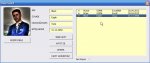
Sn.wolwaren, resim seçme ve veritabanına kaydetme ile ilgili gerekli işlemleri yaptım.
Ekteki mdb dosyasını "C" sürücüsü içine atın ve Excel dosyasındaki TIKLA btunona basarak bir deneyin...
■ Kodlar şu şekildedir;
Benim mesaj yazdığım konulara bu tarz mesajlar yazmamanızı rica ediyorum.
Sn.wolwaren, resim seçme ve veritabanına kaydetme ile ilgili gerekli işlemleri yaptım.
Ekteki mdb dosyasını "C" sürücüsü içine atın ve Excel dosyasındaki TIKLA btunona basarak bir deneyin...
■ Kodlar şu şekildedir;
Kod:
Private Sub UserForm_Initialize()
    Dim con As Object, rs As Object
    Set con = CreateObject("adodb.connection")
    dosya = "C:\ogrenci.mdb"
    con.Open "provider=microsoft.jet.oledb.4.0;data source=" & dosya
    Set rs = con.Execute("select * from ogrenci_tablo Order By id")
    With ListBox1
        .Clear
        .ColumnCount = 6
        .ColumnWidths = "20;50;60;60;60;0"
        .Column = rs.GetRows
        Label5.Caption = .ListCount
    End With
    Set rs = Nothing: Set con = Nothing
End Sub
Kod:
Private Sub CommandButton1_Click()
    Application.EnableEvents = False
    yol = MsgBox("Seçim Yapılsın mı ?", vbYesNo, Application.UserName)
    If yol = vbNo Then Exit Sub
    If yol = vbYes Then
        evn = Application.GetOpenFilename(Filefilter:="Resim Dosyaları,*.jpg;*.bmp", Title:="Resim Seçimi")
    If evn = False Then Exit Sub
        TextBox5.Text = evn
        Image1.Picture = LoadPicture(TextBox5.Value)
    End If
    Application.EnableEvents = True
End Sub
Kod:
Private Sub CommandButton2_Click()
    Dim evn As Object, rs As Object
    Set evn = CreateObject("adodb.connection")
    dosya = "C:\ogrenci.mdb"
    evn.Open "provider=microsoft.jet.oledb.4.0;data source=" & dosya
    Set rs = CreateObject("adodb.recordset")
    rs.Open "select * from ogrenci_tablo", evn, 1, 3
    rs.addnew
        rs.fields("isim").Value = TextBox1.Value
        rs.fields("soyisim").Value = TextBox2.Value
        rs.fields("kursu").Value = TextBox3.Value
        rs.fields("bitistarihi").Value = TextBox4.Value
        rs.fields("Resim").Value = TextBox5.Value
    rs.Update
    MsgBox "Bilgiler veritabanına kaydedilmiştir. ", vbInformation, Application.UserName
    TextBox1.Text = "": TextBox2.Text = ""
    TextBox3.Text = "": TextBox4.Text = "": TextBox5.Text = ""
    rs.Close
    evn.Close
    UserForm_Initialize
End Sub
Kod:
Private Sub ListBox1_Click()
    With ListBox1
        TextBox1.Value = .Column(1)
        TextBox2.Value = .Column(2)
        TextBox3.Value = .Column(3)
        TextBox4.Value = .Column(4)
        TextBox5.Value = .Column(5)
        If TextBox5.Value = "" Then
            Set Image1.Picture = Nothing
            'MsgBox "Resim Yok"
        Else
        Image1.Picture = LoadPicture(TextBox5.Text)
        End If
    End With
End Sub
Kod:
Private Sub TextBox1_MouseDown(ByVal Button As Integer, _
ByVal Shift As Integer, ByVal X As Single, ByVal Y As Single)
    TextBox1.Text = "": TextBox2.Text = ""
    TextBox3.Text = "": TextBox4.Text = "": TextBox5.Text = ""
End Sub
Ekli dosyalar
- Katılım
- 23 Mayıs 2011
- Mesajlar
- 5,509
- Excel Vers. ve Dili
- Microsoft 365 TR-EN
Rica ederim...
O nedenle hepsini bitirmedim.
Access 2007 için connectionstring'i değiştirmeniz gerek.
Şu iki satırı bulup değiştirebilirsiniz;
O nedenle hepsini bitirmedim.
Access 2007 için connectionstring'i değiştirmeniz gerek.
Şu iki satırı bulup değiştirebilirsiniz;
Kod:
dosya = "C:\ogrenci.accdb"
con.Open "Provider=Microsoft.ACE.OLEDB.12.0;Data Source=" & dosya-
Sizlere daha iyi bir deneyim sunabilmek icin sitemizde çerez konumlandırmaktayız, web sitemizi kullanmaya devam ettiğinizde çerezler ile toplanan kişisel verileriniz Veri Politikamız / Bilgilendirmelerimizde belirtilen amaçlar ve yöntemlerle mevzuatına uygun olarak kullanılacaktır.