• DİKKAT

    DOSYA İndirmek/Yüklemek için ÜCRETLİ ALTIN ÜYELİK Gereklidir!
    Altın Üyelik Hakkında Bilgi

tek hucreden farkli rakamlar almak

Katılım
12 Ekim 2017
Mesajlar
123
Excel Vers. ve Dili
2011
Merhaba sayin forum uyeleri,

bir konuda yardiminiza ihtiyacim var.

ekte verdigim excelde 6A hucresinde goruldugu uzere cok fazla veri var.

ornegin Alanin yaziyor ve birkac boslugun ardindan 508.30 gibi bir deger var.

benim yapmaya calistigim:

A1 hucresine Alanin
B1 hucresine 508.30 getirmek

ayni sekilde

A2 hucresine Allo-izolosin
B2 hucresine <1.0
degerlerini getirmek.

Aslinda bir formulle hepsini yapabilirim diye dusundum icindeki arama kriterlerini degistirerek. ama o formulu birturlu yazamadim.

Sheet1 yazan yere bu soyledigim duzenleme hakkinda yardim edebilecek biri var mi? nasil bir formul kullanabilirim? bir hucreye en az 20 25 tane ayni formulden yazmam gerekiyor gibi geldi

simdiden yardimlariniz icin cok tesekkurler.
 

Ekli dosyalar

Merhaba.

Aşağıdaki gibi bir deneyin bakalım.

-- Aranan metin ("Alanin") için;
Kod:
=[COLOR="red"]SOLDAN[/COLOR]([COLOR="red"]KIRP[/COLOR]([COLOR="red"]PARÇAAL[/COLOR](A6;[COLOR="red"]BUL[/COLOR]([B][COLOR="Blue"]"Alanin"[/COLOR][/B];A6);[COLOR="red"]BUL[/COLOR]([COLOR="red"]DAMGA[/COLOR](10);A6;[COLOR="red"]BUL[/COLOR]([B][COLOR="Blue"]"Alanin"[/COLOR][/B];A6))-[COLOR="red"]BUL[/COLOR]([B][COLOR="Blue"]"Alanin"[/COLOR][/B];A6)));[COLOR="red"]BUL[/COLOR](" ";[COLOR="red"]KIRP[/COLOR]([COLOR="red"]PARÇAAL[/COLOR](A6;[COLOR="red"]BUL[/COLOR]([B][COLOR="Blue"]"Alanin"[/COLOR][/B];A6);[COLOR="red"]BUL[/COLOR]([COLOR="red"]DAMGA[/COLOR](10);A6;[COLOR="red"]BUL[/COLOR]([B][COLOR="Blue"]"Alanin"[/COLOR][/B];A6))-[COLOR="red"]BUL[/COLOR]([B][COLOR="Blue"]"Alanin"[/COLOR][/B];A6))))-1)
-- Aranan METİN'den sonraki ilk rakam grubu için (508.30);
Kod:
=[COLOR="red"]PARÇAAL[/COLOR]([COLOR="red"]KIRP[/COLOR]([COLOR="red"]PARÇAAL[/COLOR](A6;[COLOR="red"]BUL[/COLOR]([B][COLOR="Blue"]"Alanin"[/COLOR][/B];A6);[COLOR="red"]BUL[/COLOR]([COLOR="red"]DAMGA[/COLOR](10);A6;[COLOR="red"]BUL[/COLOR]([B][COLOR="Blue"]"Alanin"[/COLOR][/B];A6))-[COLOR="red"]BUL[/COLOR]([B][COLOR="Blue"]"Alanin"[/COLOR][/B];A6)));[COLOR="red"]BUL[/COLOR](" ";[COLOR="red"]KIRP[/COLOR]([COLOR="red"]PARÇAAL[/COLOR](A6;[COLOR="Red"]BUL[/COLOR]([B][COLOR="Blue"]"Alanin"[/COLOR][/B];A6);[COLOR="red"]BUL[/COLOR]([COLOR="red"]DAMGA[/COLOR](10);A6;[COLOR="red"]BUL[/COLOR]([B][COLOR="Blue"]"Alanin"[/COLOR][/B];A6))-[COLOR="red"]BUL[/COLOR]([B][COLOR="Blue"]"Alanin"[/COLOR][/B];A6))))+1;([COLOR="red"]BUL[/COLOR](" ";[COLOR="red"]KIRP[/COLOR]([COLOR="red"]PARÇAAL[/COLOR](A6;[COLOR="red"]BUL[/COLOR]([B][COLOR="Blue"]"Alanin"[/COLOR][/B];A6);[COLOR="red"]BUL[/COLOR]([COLOR="red"]DAMGA[/COLOR](10);A6;[COLOR="red"]BUL[/COLOR]([B][COLOR="Blue"]"Alanin"[/COLOR][/B];A6))-[COLOR="red"]BUL[/COLOR]([B][COLOR="Blue"]"Alanin"[/COLOR][/B];A6)));[COLOR="red"]BUL[/COLOR](" ";[COLOR="red"]KIRP[/COLOR]([COLOR="red"]PARÇAAL[/COLOR](A6;[COLOR="red"]BUL[/COLOR]([B][COLOR="Blue"]"Alanin"[/COLOR][/B];A6);[COLOR="red"]BUL[/COLOR]([COLOR="red"]DAMGA[/COLOR](10);A6;[COLOR="red"]BUL[/COLOR]([B][COLOR="Blue"]"Alanin"[/COLOR][/B];A6))-[COLOR="red"]BUL[/COLOR]([B][COLOR="Blue"]"Alanin"[/COLOR][/B];A6))))+1))-([COLOR="red"]BUL[/COLOR](" ";[COLOR="red"]KIRP[/COLOR]([COLOR="red"]PARÇAAL[/COLOR](A6;[COLOR="red"]BUL[/COLOR]([B][COLOR="Blue"]"Alanin"[/COLOR][/B];A6);[COLOR="red"]BUL[/COLOR]([COLOR="red"]DAMGA[/COLOR](10);A6;[COLOR="red"]BUL[/COLOR]([B][COLOR="Blue"]"Alanin"[/COLOR][/B];A6))-[COLOR="Red"]BUL[/COLOR]([B][COLOR="Blue"]"Alanin"[/COLOR][/B];A6)))))-1)
 
Merhaba,

Bu şekilde deneyin. Sonuçlar Seeht1 sayfasında.

Kod:
Sub satir_sutun()
Application.ScreenUpdating = False
Sheets("Table 1").Select
a = Split([A6], vbLf)
For i = 2 To UBound(a)
    d = Split(a(i), "   ")
    For j = 0 To UBound(d) - 1
        If d(j) <> "" Then
            sut = sut + 1
            Sheets("sheet1").Cells(i, sut) = d(j)
        End If
    Next j
    sut = 0
Next i
Sheets("sheet1").Select
Application.ScreenUpdating = True
MsgBox "İşlem  Bitti....", vbInformation
End Sub
 

Ekli dosyalar

Tekrar merhaba.

Verdiğim formülde aranan ibaresini hücreden (Sheet1'deki) alarak sonuç almak için;
aşağıdaki formülü (önceki verdiğim formülün aynısıdır, diğer sayfadan veri almak üzere
hücre referansları değişmiş hali) kullanabilirsiniz.
Formülü Sheet1 B2 hücresine uygulayın ve aşağı doğru kopyalayın.
.
Kod:
=[COLOR="red"]PARÇAAL[/COLOR]([COLOR="red"]KIRP[/COLOR]([COLOR="red"]PARÇAAL[/COLOR]('Table 1'!$A$6;[COLOR="red"]BUL[/COLOR](A2;'Table 1'!$A$6);[COLOR="red"]BUL[/COLOR]([COLOR="red"]DAMGA[/COLOR](10);'Table 1'!$A$6;[COLOR="red"]BUL[/COLOR](A2;'Table 1'!$A$6))-[COLOR="red"]BUL[/COLOR](A2;'Table 1'!$A$6)));[COLOR="red"]BUL[/COLOR](" ";[COLOR="red"]KIRP[/COLOR]([COLOR="red"]PARÇAAL[/COLOR]('Table 1'!$A$6;[COLOR="red"]BUL[/COLOR](A2;'Table 1'!$A$6);[COLOR="red"]BUL[/COLOR]([COLOR="red"]DAMGA[/COLOR](10);'Table 1'!$A$6;[COLOR="red"]BUL[/COLOR](A2;'Table 1'!$A$6))-[COLOR="red"]BUL[/COLOR](A2;'Table 1'!$A$6))))+1;([COLOR="red"]BUL[/COLOR](" ";[COLOR="red"]KIRP[/COLOR]([COLOR="red"]PARÇAAL[/COLOR]('Table 1'!$A$6;[COLOR="red"]BUL[/COLOR](A2;'Table 1'!$A$6);[COLOR="red"]BUL[/COLOR]([COLOR="red"]DAMGA[/COLOR](10);'Table 1'!$A$6;[COLOR="red"]BUL[/COLOR](A2;'Table 1'!$A$6))-[COLOR="red"]BUL[/COLOR](A2;'Table 1'!$A$6)));[COLOR="red"]BUL[/COLOR](" ";[COLOR="red"]KIRP[/COLOR]([COLOR="red"]PARÇAAL[/COLOR]('Table 1'!$A$6;[COLOR="red"]BUL[/COLOR](A2;'Table 1'!$A$6);[COLOR="red"]BUL[/COLOR]([COLOR="red"]DAMGA[/COLOR](10);'Table 1'!$A$6;[COLOR="red"]BUL[/COLOR](A2;'Table 1'!$A$6))-[COLOR="red"]BUL[/COLOR](A2;'Table 1'!$A$6))))+1))-([COLOR="red"]BUL[/COLOR](" ";[COLOR="red"]KIRP[/COLOR]([COLOR="red"]PARÇAAL[/COLOR]('Table 1'!$A$6;[COLOR="red"]BUL[/COLOR](A2;'Table 1'!$A$6);[COLOR="red"]BUL[/COLOR]([COLOR="red"]DAMGA[/COLOR](10);'Table 1'!$A$6;[COLOR="red"]BUL[/COLOR](A2;'Table 1'!$A$6))-[COLOR="Red"]BUL[/COLOR](A2;'Table 1'!$A$6)))))-1)
 
Merhaba.

Aşağıdaki gibi bir deneyin bakalım.

-- Aranan metin ("Alanin") için;
Kod:
=[COLOR="red"]SOLDAN[/COLOR]([COLOR="red"]KIRP[/COLOR]([COLOR="red"]PARÇAAL[/COLOR](A6;[COLOR="red"]BUL[/COLOR]([B][COLOR="Blue"]"Alanin"[/COLOR][/B];A6);[COLOR="red"]BUL[/COLOR]([COLOR="red"]DAMGA[/COLOR](10);A6;[COLOR="red"]BUL[/COLOR]([B][COLOR="Blue"]"Alanin"[/COLOR][/B];A6))-[COLOR="red"]BUL[/COLOR]([B][COLOR="Blue"]"Alanin"[/COLOR][/B];A6)));[COLOR="red"]BUL[/COLOR](" ";[COLOR="red"]KIRP[/COLOR]([COLOR="red"]PARÇAAL[/COLOR](A6;[COLOR="red"]BUL[/COLOR]([B][COLOR="Blue"]"Alanin"[/COLOR][/B];A6);[COLOR="red"]BUL[/COLOR]([COLOR="red"]DAMGA[/COLOR](10);A6;[COLOR="red"]BUL[/COLOR]([B][COLOR="Blue"]"Alanin"[/COLOR][/B];A6))-[COLOR="red"]BUL[/COLOR]([B][COLOR="Blue"]"Alanin"[/COLOR][/B];A6))))-1)
-- Aranan METİN'den sonraki ilk rakam grubu için (508.30);
Kod:
=[COLOR="red"]PARÇAAL[/COLOR]([COLOR="red"]KIRP[/COLOR]([COLOR="red"]PARÇAAL[/COLOR](A6;[COLOR="red"]BUL[/COLOR]([B][COLOR="Blue"]"Alanin"[/COLOR][/B];A6);[COLOR="red"]BUL[/COLOR]([COLOR="red"]DAMGA[/COLOR](10);A6;[COLOR="red"]BUL[/COLOR]([B][COLOR="Blue"]"Alanin"[/COLOR][/B];A6))-[COLOR="red"]BUL[/COLOR]([B][COLOR="Blue"]"Alanin"[/COLOR][/B];A6)));[COLOR="red"]BUL[/COLOR](" ";[COLOR="red"]KIRP[/COLOR]([COLOR="red"]PARÇAAL[/COLOR](A6;[COLOR="Red"]BUL[/COLOR]([B][COLOR="Blue"]"Alanin"[/COLOR][/B];A6);[COLOR="red"]BUL[/COLOR]([COLOR="red"]DAMGA[/COLOR](10);A6;[COLOR="red"]BUL[/COLOR]([B][COLOR="Blue"]"Alanin"[/COLOR][/B];A6))-[COLOR="red"]BUL[/COLOR]([B][COLOR="Blue"]"Alanin"[/COLOR][/B];A6))))+1;([COLOR="red"]BUL[/COLOR](" ";[COLOR="red"]KIRP[/COLOR]([COLOR="red"]PARÇAAL[/COLOR](A6;[COLOR="red"]BUL[/COLOR]([B][COLOR="Blue"]"Alanin"[/COLOR][/B];A6);[COLOR="red"]BUL[/COLOR]([COLOR="red"]DAMGA[/COLOR](10);A6;[COLOR="red"]BUL[/COLOR]([B][COLOR="Blue"]"Alanin"[/COLOR][/B];A6))-[COLOR="red"]BUL[/COLOR]([B][COLOR="Blue"]"Alanin"[/COLOR][/B];A6)));[COLOR="red"]BUL[/COLOR](" ";[COLOR="red"]KIRP[/COLOR]([COLOR="red"]PARÇAAL[/COLOR](A6;[COLOR="red"]BUL[/COLOR]([B][COLOR="Blue"]"Alanin"[/COLOR][/B];A6);[COLOR="red"]BUL[/COLOR]([COLOR="red"]DAMGA[/COLOR](10);A6;[COLOR="red"]BUL[/COLOR]([B][COLOR="Blue"]"Alanin"[/COLOR][/B];A6))-[COLOR="red"]BUL[/COLOR]([B][COLOR="Blue"]"Alanin"[/COLOR][/B];A6))))+1))-([COLOR="red"]BUL[/COLOR](" ";[COLOR="red"]KIRP[/COLOR]([COLOR="red"]PARÇAAL[/COLOR](A6;[COLOR="red"]BUL[/COLOR]([B][COLOR="Blue"]"Alanin"[/COLOR][/B];A6);[COLOR="red"]BUL[/COLOR]([COLOR="red"]DAMGA[/COLOR](10);A6;[COLOR="red"]BUL[/COLOR]([B][COLOR="Blue"]"Alanin"[/COLOR][/B];A6))-[COLOR="Red"]BUL[/COLOR]([B][COLOR="Blue"]"Alanin"[/COLOR][/B];A6)))))-1)


Cok iyi ugrasmissin ama bende DEGER? hatasi veriyor yazdigin formul. tekrar gozden gecirebilir misin?
 
Formülün uygulandığı dosya ekte.

Bu arada Sayın Ziynettin'in verdiği makroyu da kullanabilirsiniz, onu denediniz mi?
.
 

Ekli dosyalar

Merhaba,

Bu şekilde deneyin. Sonuçlar Seeht1 sayfasında.

Kod:
Sub satir_sutun()
Application.ScreenUpdating = False
Sheets("Table 1").Select
a = Split([A6], vbLf)
For i = 2 To UBound(a)
    d = Split(a(i), "   ")
    For j = 0 To UBound(d) - 1
        If d(j) <> "" Then
            sut = sut + 1
            Sheets("sheet1").Cells(i, sut) = d(j)
        End If
    Next j
    sut = 0
Next i
Sheets("sheet1").Select
Application.ScreenUpdating = True
MsgBox "İşlem  Bitti....", vbInformation
End Sub

Elinize kolunuza saglik. Bu macro cok isime yarayacak tesekkur ederim sayin Yetkili
 
Merhaba,

Bu şekilde deneyin. Sonuçlar Seeht1 sayfasında.

Kod:
Sub satir_sutun()
Application.ScreenUpdating = False
Sheets("Table 1").Select
a = Split([A6], vbLf)
For i = 2 To UBound(a)
    d = Split(a(i), "   ")
    For j = 0 To UBound(d) - 1
        If d(j) <> "" Then
            sut = sut + 1
            Sheets("sheet1").Cells(i, sut) = d(j)
        End If
    Next j
    sut = 0
Next i
Sheets("sheet1").Select
Application.ScreenUpdating = True
MsgBox "İşlem  Bitti....", vbInformation
End Sub

Merhaba Ziynettin,

Öncelikle gerçekten eline sağlık. Çok güzel makro hazırlamışsın. Sıfır hata ile çalışıyor. Bir üst seviyeye geçirmemiz mümkün müdür? Ekteki dosyada göreceğin gibi analizler aslında gönderdiğimden biraz daha fazla ve hepsi 3 farklı şekilde yazılmış olabilir (varyant 1,2,3 şeklinde hepsini yazdım).

Unutmuş olma ihtimaline karşı ihtiyacım olan şeyi açıklamam gerekirse;

TetkikSonuclari sayfasında B5'ten B132'ye kadar analizlerin sonuçlarının olması gereken kısım var, tam olarak karşılarında ise H2'den J132'ye kadar da analizlerin adının ne şekilde yazılmış olabilecekleri mevcut. Sayfa1'de de ham veri yer alıyor. İlgili verileri otomatik olarak çekebilmek istiyorum. Yardımcı olabilir misin? Makro olması şart değil formülle de olabilir, nasıl daha kolay oluyorsa. Not: TetkikSonuclari sayfasındaki A1:E132 aralığındaki kısmın formatının o şekilde kalması gerekiyor çünkü o veriler de grafiklerin otomatik olarak gösterildiği bir yere gidiyor. Eğer yardımcı olamayacaksan da bilgilendirirsen müteşekkir olurum :)
 

Ekli dosyalar

Bu soruyu cevaplayabilecek biri varsa benim de çok işime yarar gerçekten
 
Ömer Baran gönderdiğin formülü uyguladım fakat ekteki sorunla karşılaştım sebebini anlamadım
Tekrar merhaba.

Formülün önceki halinde, tetkik adının bir'den fazla kelimeden oluşacağını öngörmediğim için
ilgili satırda bulunan İLK BOŞLUK KARAKTERİ'ne göre işlem yapılıyor idi,
şimdi ise SAĞDAN İKİNCİ BOŞLUK karakterine göre işlem yapılıyor.

-- B2 hücresindeki formülü aşağıdakiyle değiştirin ve aşağı doğru kopyalayın.
.
Kod:
=[COLOR="red"]PARÇAAL[/COLOR]([COLOR="red"]KIRP[/COLOR]([COLOR="red"]PARÇAAL[/COLOR]('Table 1'!$A$6;[COLOR="red"]BUL[/COLOR](A2;'Table 1'!$A$6);[COLOR="red"]BUL[/COLOR]([COLOR="red"]DAMGA[/COLOR](10);'Table 1'!$A$6;[COLOR="red"]BUL[/COLOR](A2;'Table 1'!$A$6))-[COLOR="red"]BUL[/COLOR](A2;'Table 1'!$A$6)));[COLOR="red"]BUL[/COLOR]("|";[COLOR="red"]YERİNEKOY[/COLOR]([COLOR="red"]KIRP[/COLOR]([COLOR="red"]PARÇAAL[/COLOR]('Table 1'!$A$6;[COLOR="red"]BUL[/COLOR](A2;'Table 1'!$A$6);[COLOR="red"]BUL[/COLOR]([COLOR="red"]DAMGA[/COLOR](10);'Table 1'!$A$6;[COLOR="red"]BUL[/COLOR](A2;'Table 1'!$A$6))-[COLOR="red"]BUL[/COLOR](A2;'Table 1'!$A$6)));" ";"|";[COLOR="red"]UZUNLUK[/COLOR]([COLOR="red"]KIRP[/COLOR]([COLOR="red"]PARÇAAL[/COLOR]('Table 1'!$A$6;[COLOR="red"]BUL[/COLOR](A2;'Table 1'!$A$6);[COLOR="red"]BUL[/COLOR]([COLOR="red"]DAMGA[/COLOR](10);'Table 1'!$A$6;[COLOR="red"]BUL[/COLOR](A2;'Table 1'!$A$6))-[COLOR="red"]BUL[/COLOR](A2;'Table 1'!$A$6))))-[COLOR="red"]UZUNLUK[/COLOR]([COLOR="red"]YERİNEKOY[/COLOR]([COLOR="red"]KIRP[/COLOR]([COLOR="red"]PARÇAAL[/COLOR]('Table 1'!$A$6;[COLOR="red"]BUL[/COLOR](A2;'Table 1'!$A$6);[COLOR="red"]BUL[/COLOR]([COLOR="red"]DAMGA[/COLOR](10);'Table 1'!$A$6;[COLOR="red"]BUL[/COLOR](A2;'Table 1'!$A$6))-[COLOR="red"]BUL[/COLOR](A2;'Table 1'!$A$6)));" ";""))-1))+1;([COLOR="red"]BUL[/COLOR](" ";[COLOR="red"]KIRP[/COLOR]([COLOR="red"]PARÇAAL[/COLOR]('Table 1'!$A$6;[COLOR="red"]BUL[/COLOR](A2;'Table 1'!$A$6);[COLOR="red"]BUL[/COLOR]([COLOR="red"]DAMGA[/COLOR](10);'Table 1'!$A$6;[COLOR="red"]BUL[/COLOR](A2;'Table 1'!$A$6))-[COLOR="red"]BUL[/COLOR](A2;'Table 1'!$A$6)));[COLOR="red"]BUL[/COLOR](" ";[COLOR="red"]KIRP[/COLOR]([COLOR="red"]PARÇAAL[/COLOR]('Table 1'!$A$6;[COLOR="red"]BUL[/COLOR](A2;'Table 1'!$A$6);[COLOR="red"]BUL[/COLOR]([COLOR="red"]DAMGA[/COLOR](10);'Table 1'!$A$6;[COLOR="red"]BUL[/COLOR](A2;'Table 1'!$A$6))-[COLOR="red"]BUL[/COLOR](A2;'Table 1'!$A$6))))+1))-([COLOR="red"]BUL[/COLOR](" ";[COLOR="red"]KIRP[/COLOR]([COLOR="red"]PARÇAAL[/COLOR]('Table 1'!$A$6;[COLOR="red"]BUL[/COLOR](A2;'Table 1'!$A$6);[COLOR="red"]BUL[/COLOR]([COLOR="red"]DAMGA[/COLOR](10);'Table 1'!$A$6;[COLOR="red"]BUL[/COLOR](A2;'Table 1'!$A$6))-[COLOR="Red"]BUL[/COLOR](A2;'Table 1'!$A$6)))))-1)
 
Tekrar merhaba.

Formülün önceki halinde, tetkik adının bir'den fazla kelimeden oluşacağını öngörmediğim için
ilgili satırda bulunan İLK BOŞLUK KARAKTERİ'ne göre işlem yapılıyor idi,
şimdi ise SAĞDAN İKİNCİ BOŞLUK karakterine göre işlem yapılıyor.

-- B2 hücresindeki formülü aşağıdakiyle değiştirin ve aşağı doğru kopyalayın.
.
Kod:
=[COLOR="red"]PARÇAAL[/COLOR]([COLOR="red"]KIRP[/COLOR]([COLOR="red"]PARÇAAL[/COLOR]('Table 1'!$A$6;[COLOR="red"]BUL[/COLOR](A2;'Table 1'!$A$6);[COLOR="red"]BUL[/COLOR]([COLOR="red"]DAMGA[/COLOR](10);'Table 1'!$A$6;[COLOR="red"]BUL[/COLOR](A2;'Table 1'!$A$6))-[COLOR="red"]BUL[/COLOR](A2;'Table 1'!$A$6)));[COLOR="red"]BUL[/COLOR]("|";[COLOR="red"]YERİNEKOY[/COLOR]([COLOR="red"]KIRP[/COLOR]([COLOR="red"]PARÇAAL[/COLOR]('Table 1'!$A$6;[COLOR="red"]BUL[/COLOR](A2;'Table 1'!$A$6);[COLOR="red"]BUL[/COLOR]([COLOR="red"]DAMGA[/COLOR](10);'Table 1'!$A$6;[COLOR="red"]BUL[/COLOR](A2;'Table 1'!$A$6))-[COLOR="red"]BUL[/COLOR](A2;'Table 1'!$A$6)));" ";"|";[COLOR="red"]UZUNLUK[/COLOR]([COLOR="red"]KIRP[/COLOR]([COLOR="red"]PARÇAAL[/COLOR]('Table 1'!$A$6;[COLOR="red"]BUL[/COLOR](A2;'Table 1'!$A$6);[COLOR="red"]BUL[/COLOR]([COLOR="red"]DAMGA[/COLOR](10);'Table 1'!$A$6;[COLOR="red"]BUL[/COLOR](A2;'Table 1'!$A$6))-[COLOR="red"]BUL[/COLOR](A2;'Table 1'!$A$6))))-[COLOR="red"]UZUNLUK[/COLOR]([COLOR="red"]YERİNEKOY[/COLOR]([COLOR="red"]KIRP[/COLOR]([COLOR="red"]PARÇAAL[/COLOR]('Table 1'!$A$6;[COLOR="red"]BUL[/COLOR](A2;'Table 1'!$A$6);[COLOR="red"]BUL[/COLOR]([COLOR="red"]DAMGA[/COLOR](10);'Table 1'!$A$6;[COLOR="red"]BUL[/COLOR](A2;'Table 1'!$A$6))-[COLOR="red"]BUL[/COLOR](A2;'Table 1'!$A$6)));" ";""))-1))+1;([COLOR="red"]BUL[/COLOR](" ";[COLOR="red"]KIRP[/COLOR]([COLOR="red"]PARÇAAL[/COLOR]('Table 1'!$A$6;[COLOR="red"]BUL[/COLOR](A2;'Table 1'!$A$6);[COLOR="red"]BUL[/COLOR]([COLOR="red"]DAMGA[/COLOR](10);'Table 1'!$A$6;[COLOR="red"]BUL[/COLOR](A2;'Table 1'!$A$6))-[COLOR="red"]BUL[/COLOR](A2;'Table 1'!$A$6)));[COLOR="red"]BUL[/COLOR](" ";[COLOR="red"]KIRP[/COLOR]([COLOR="red"]PARÇAAL[/COLOR]('Table 1'!$A$6;[COLOR="red"]BUL[/COLOR](A2;'Table 1'!$A$6);[COLOR="red"]BUL[/COLOR]([COLOR="red"]DAMGA[/COLOR](10);'Table 1'!$A$6;[COLOR="red"]BUL[/COLOR](A2;'Table 1'!$A$6))-[COLOR="red"]BUL[/COLOR](A2;'Table 1'!$A$6))))+1))-([COLOR="red"]BUL[/COLOR](" ";[COLOR="red"]KIRP[/COLOR]([COLOR="red"]PARÇAAL[/COLOR]('Table 1'!$A$6;[COLOR="red"]BUL[/COLOR](A2;'Table 1'!$A$6);[COLOR="red"]BUL[/COLOR]([COLOR="red"]DAMGA[/COLOR](10);'Table 1'!$A$6;[COLOR="red"]BUL[/COLOR](A2;'Table 1'!$A$6))-[COLOR="Red"]BUL[/COLOR](A2;'Table 1'!$A$6)))))-1)

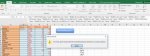
Görseldeki hatayı alıyorum. "Bu formül, geçerli dosya biçiminde kullanabileceğinizden daha fazla iç içe düzey kullanıyor."
 

Ekli dosyalar

  • hata.jpg
    hata.jpg
    21.2 KB · Görüntüleme: 8
Ben cevabımı 11 numaralı cevap ekindeki belgeye göre verdim.
Formül cevaplarını denemeden yazacak değilim.

Verdiğim formülü 11 numaralı cevap ekindeki belgeye uygulayın ve sonucu görün.
Eklediğiniz ekran görüntüsüne benzer bir sayfa, belirttiğim belgede yok.
.
 
Ekli dosyayı deneyiniz.

Kod:
Sub sonuclar()
Application.ScreenUpdating = False
Set s1 = Sheets("TetkikSonuclari")
Set s2 = Sheets("Sayfa1")
v = s2.Range("A2:Q" & s2.Cells(Rows.Count, 1).End(3).Row)
g = s1.Range("H5:J" & s1.Cells(Rows.Count, "H").End(3).Row)
On Error Resume Next
ReDim b(1 To 10000, 1 To 2)
For j = 1 To UBound(v)
    a = Split(Trim(v(j, 1)), vbLf)
    If UBound(a) > 0 Then
        say = say + 0
            For x = 0 To UBound(a)
                k = Split(a(x), "  ")
                For t = 1 To UBound(g)
                For t1 = 1 To UBound(g, 2)
                    If k(0) = g(t, t1) Then
                        n = n + 1
                        b(say + n, 1) = k(0)
                        For y = UBound(k) To 1 Step -1
                            If k(y) <> "" Then
                                b(say + n, 2) = k(y)
                            End If
                        Next y
                    End If
                Next t1
                Next t
            Next x
        say = say + n
        n = 0
    End If
'********************************************************************

    d = Split(Trim(v(j, 1)), "  ")
    If UBound(d) > 0 And UBound(a) < 1 Then
        For t = 1 To UBound(g)
            For t1 = 1 To UBound(g, 2)
            If d(0) = g(t, t1) Then
                say = say + 1
                b(say, 1) = d(0)
                For x = UBound(d) To 1 Step -1
                    If d(x) <> "" Then
                        b(say, 2) = d(x)
                    End If
                Next x
            End If
            Next t1
        Next t
    End If
'**********************************************************************

    For t = 1 To UBound(g)
        For t1 = 1 To UBound(g, 2)
            If v(j, 1) <> "" And v(j, 1) = g(t, t1) Then
                say = say + 1
                b(say, 1) = v(j, 1)
                For x = UBound(v, 2) To 2 Step -1
                    If v(j, x) <> "" And v(j, x) <> "[H]" And v(j, x) <> "[L]" And v(j, x) <> "[NE]" Then
                        b(say, 2) = v(j, x)
                    End If
                Next x
            End If
        Next t1
    Next t
Next j
'**********************************************************************

tbl = Array(b)
ReDim c(1 To UBound(g), 1 To 1)
    For x = 1 To UBound(g)
        For y = 1 To UBound(g, 2)
            For i = 1 To say
                If tbl(0)(i, 1) = g(x, y) Then
                    c(x, 1) = tbl(0)(i, 2)
                End If
            Next i
        Next y
    Next x
s1.[B5].Resize(UBound(g)) = c
'**************************************************************************

Application.ScreenUpdating = True
s1.Select
MsgBox "İşlem  Bitti....", vbInformation
End Sub
 

Ekli dosyalar

kendisine calismasi icin cok tesekkur ettim daha once O.M yoluyla. tekrar edeyim
 
Geri
Üst