• DİKKAT

    DOSYA İndirmek/Yüklemek için ÜCRETLİ ALTIN ÜYELİK Gereklidir!
    Altın Üyelik Hakkında Bilgi

Otomatik Mail Kodunda Hata

Katılım
13 Eylül 2015
Mesajlar
201
Excel Vers. ve Dili
2010 VBA
Merhaba Arkadaşlar,

Aşağıda, Excel'de belirlediğim alanı otomatik mail gönderen bir kodum var. Ben otomatik göndermesini istemiyorum, önce bir mail penceresi açsın göreyim kontrol ettikten sonra ben gönder butonuna basayım istiyorum. Bunun için ".Display" kodunu da ekledim ama bu seferde makro çalışmadı. Yardımcı olabilir misiniz ?

Dosyam ektedir.

Teşekkür ederim ilginize.

Kod:
Sub Mail_Gonder()
    Dim AWorksheet As Worksheet
    Dim Sendrng As Range
    Dim rng As Range
    On Error GoTo StopMacro
    kime = Cells(4, "H").Value
    With Application
        .ScreenUpdating = False
        .EnableEvents = False
    End With
    Set Sendrng = Range("A1:E16")
    Set AWorksheet = ActiveSheet
    With Sendrng
        .Parent.Select
        Set rng = ActiveCell
        .Select
        ActiveWorkbook.EnvelopeVisible = True
        With .Parent.MailEnvelope
            With .Item
                .To = kime
                .CC = ""
                .BCC = ""
                .Subject = Cells(3, "G") & Cells(3, "H")
                .Send
            End With
        End With
        rng.Select
    End With
    AWorksheet.Select
StopMacro:
    With Application
        .ScreenUpdating = True
        .EnableEvents = True
    End With
    ActiveWorkbook.EnvelopeVisible = False
End Sub
 

Ekli dosyalar

Merhaba.

Deneme şansım yok ancak, aşağıdaki satırların sol başına ' işareti (TEK TIRNAK) ekleyerek dener isiniz?
Kod:
                .Send
        rng.Select
    AWorksheet.Select
.
 
Ömer Bey,

Öncelikle ilginiz ve hızlı dönüşünüz için teşekkür ederim. Test ettim ancak sonuç alamadım. Söylediğiniz kodları ekleyip, "'.send" pasif yaptım ama makro işlem yapmadı, aynı zamanda hata da vermedi. ".send" i aktif hale getirince maili gönderiyor.
 
.Send
ActiveWorkbook.EnvelopeVisible = False
Bu kısımları pasif yapın.
 
"Send" yerine aşağıdaki renkli kelimeyi yazın, öyle deneyin.
Kolay gelsin.
Kod:
 With .Item
                .To = kime
                .CC = ""
                .BCC = ""
                .Subject = Cells(3, "G") & Cells(3, "H")
                [COLOR="Red"][B].Display[/B][/COLOR]
            End With
 
Aşağıdaki şekilde deneyin.
(http://stackoverflow.com/questions/18663127/paste-specific-excel-range-in-outlook)


Sub Mail_Selection_Range_Outlook_Body()

Dim rng As Range
Dim OutApp As Object
Dim OutMail As Object

Set rng = Nothing
' Only send the visible cells in the selection.

Set rng = Sheets("Sayfa1").Range("A1:E16").SpecialCells(xlCellTypeVisible)

If rng Is Nothing Then
MsgBox "The selection is not a range or the sheet is protected. " & _
vbNewLine & "Please correct and try again.", vbOKOnly
Exit Sub
End If

With Application
.EnableEvents = False
.ScreenUpdating = False
End With

Set OutApp = CreateObject("Outlook.Application")
Set OutMail = OutApp.CreateItem(0)


With OutMail
.To = ThisWorkbook.Sheets("Sayfa1").Range("h4").Value
.CC = ""
.BCC = ""
.Subject = Cells(3, "G") & Cells(3, "H")
.HTMLBody = RangetoHTML(rng)
' In place of the following statement, you can use ".Display" to
' display the e-mail message.
.Display
End With
On Error GoTo 0

With Application
.EnableEvents = True
.ScreenUpdating = True
End With

Set OutMail = Nothing
Set OutApp = Nothing
End Sub


Function RangetoHTML(rng As Range)
' By Ron de Bruin.
Dim fso As Object
Dim ts As Object
Dim TempFile As String
Dim TempWB As Workbook

TempFile = Environ$("temp") & "/" & Format(Now, "dd-mm-yy h-mm-ss") & ".htm"

'Copy the range and create a new workbook to past the data in
rng.Copy
Set TempWB = Workbooks.Add(1)
With TempWB.Sheets(1)
.Cells(1).PasteSpecial Paste:=8
.Cells(1).PasteSpecial xlPasteValues, , False, False
.Cells(1).PasteSpecial xlPasteFormats, , False, False
.Cells(1).Select
Application.CutCopyMode = False
On Error Resume Next
.DrawingObjects.Visible = True
.DrawingObjects.Delete
On Error GoTo 0
End With

'Publish the sheet to a htm file
With TempWB.PublishObjects.Add( _
SourceType:=xlSourceRange, _
Filename:=TempFile, _
Sheet:=TempWB.Sheets(1).Name, _
Source:=TempWB.Sheets(1).UsedRange.Address, _
HtmlType:=xlHtmlStatic)
.Publish (True)
End With

'Read all data from the htm file into RangetoHTML
Set fso = CreateObject("Scripting.FileSystemObject")
Set ts = fso.GetFile(TempFile).OpenAsTextStream(1, -2)
RangetoHTML = ts.ReadAll
ts.Close
RangetoHTML = Replace(RangetoHTML, "align=center x:publishsource=", _
"align=left x:publishsource=")

'Close TempWB
TempWB.Close savechanges:=False

'Delete the htm file we used in this function
Kill TempFile

Set ts = Nothing
Set fso = Nothing
Set TempWB = Nothing
End Function
 
Aşağıdaki gibi deneyiniz.

Kod:
Sub Mail_Gonder()
    Dim AWorksheet As Worksheet
    Dim Sendrng As Range
    Dim rng As Range
    On Error GoTo StopMacro
    kime = Cells(4, "H").Value
    With Application
        .ScreenUpdating = False
        .EnableEvents = False
    End With
    Set Sendrng = Range("A1:E16")
    Set AWorksheet = ActiveSheet
    With Sendrng
        .Parent.Select
        Set rng = ActiveCell
        .Select
        ActiveWorkbook.EnvelopeVisible = True
        With .Parent.MailEnvelope
            With .Item
                .To = kime
                .CC = ""
                .BCC = ""
                .Subject = Cells(3, "G") & Cells(3, "H")
                .Display
            End With
        End With
        rng.Select
    End With
    AWorksheet.Select
StopMacro:
    With Application
        .ScreenUpdating = True
        .EnableEvents = True
    End With
    'ActiveWorkbook.EnvelopeVisible = False
End Sub
 
askm ve Korhan bey,

Maalesef yine istediğim sonucu alamadım. Askm sizin gönderdiğiniz linkteki kodu çalıştırdım A1 ile E16 daki alanı yeni outlook sayfasında açtı ancak, ilgili hücrelerimde ufak resimler vardı onları almadı. Acaba ekteki örnek dosyam üzerinden gidebilir miyiz ?
 

Ekli dosyalar

Aşağıdaki gibi deneyiniz.

Kod:
Sub Mail_Gonder()
    Dim Sendrng As Range
    On Error GoTo StopMacro
    kime = Cells(4, "H").Value
    With Application
        .ScreenUpdating = False
        .EnableEvents = False
    End With
    Set Sendrng = Range("A1:E16")
    With Sendrng
        .Parent.Select
        ActiveWorkbook.EnvelopeVisible = True
        With .Parent.MailEnvelope
            With .Item
                .To = kime
                .CC = ""
                .BCC = ""
                .Subject = Cells(3, "G") & Cells(3, "H")
                .Display
            End With
        End With
    End With
StopMacro:
    With Application
        .ScreenUpdating = True
        .EnableEvents = True
    End With
End Sub
 
hayır hata vermiyor çalışıyor gibi görünüyor ama önüme pencere olarak maili açmıyor. Bi aksiyon yok yani.
 
Bu arada Korhan bey,

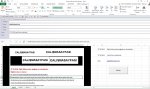
Sizin en son gönderdiğiniz kodda .Send i aktif yaptığımda maili gönderiyor. Pasif yaptığımda ise ekteki ekran görüntüsünde olduğu gibi mailin taslağını excel içinde açıyor.
 

Ekli dosyalar

  • Capture.JPG
    Capture.JPG
    193 KB · Görüntüleme: 11
Bu durumda kod içinde hata durumunda makroyu sonlandıran aşağıdaki satırın başına tek tırnak ekleyip kodu öyle çalıştırın. Demek ki sizde hata oluşturan bir durum oluşuyor. Bu satırı pasif yaparak bu hatayı tespit edebiliriz.

Kod:
On Error GoTo StopMacro

Kodu çalıştırın hata veren satırı buraya yazın.
 
Korhan bey,

Test ettim ama bir önceki mesajım belirttiğim hususlar değişmedi, sonuç alamadım.

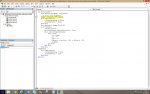
Bu arada F8 ile adım adım baktım nerde hata alıyorum diye ama hata mesajı almadım. sadece, koddaki aşağıda belirttiğim satırı çalıştırmadan atlıyor. ekran görüntüsüne ekte yer verdim.

Kod:
Dim Sendrng As Range
 

Ekli dosyalar

  • Untitled.jpg
    Untitled.jpg
    178.7 KB · Görüntüleme: 5
Merhaba,

Benim önerdiğim kod sizin 15 nolu mesajınızdaki resimdeki görüntüyü oluşturur. Kod bu durumda düzgün çalışıyor.

Son mesajınızda belirttiğiniz "Dim" ile başlayan satır değişken tanımlaması olduğu için F8 tuşunda işlem görmez. Direkt alt satırdan kodlar işlemeye başlar.

11 nolu mesajımda önerdiğim kod aslında çalışıyor. Sizin 15 nolu mesajınızdaki resimdeki gibi sonuç veriyor.

Benim yazdıklarınızdan yorumladığıma göre siz farklı bir mail atma işlemi istiyorsunuz.

Bunu açıklarsanız ona göre revize kod yazılabilir.
 
Korhan Bey Merhaba,

Sizin 11 nolu mesajınızda verdiğiniz kod çalışıyor. Ama 15 nolu mesajımdaki ekran görüntüsünden de görüleceğe üzere maili excelin içinde açıyor. Ben mail için outlook bir pencere açsın istiyorum. En basit haliyle outlookta yeni mail botonuna bastığımda açılan pencere gibi.
 
Sizi anlıyorum. Fakat sizin ilk mesaja eklediğiniz kodun çalışma mantığı 15 nolu mesajınızdaki resimdeki gibidir. Siz ilk mesajınızda bu kodu verip yardım isteyince ben dahil diğer arkadaşlar bu kod üzerine yoğunlaştılar. Sorun buradan kaynaklanıyor.

Butona bastınız Outlook'ta yeni pencere açıldı. Sonra ne olacak?
 
Geri
Üst