

• DİKKAT

    DOSYA İndirmek/Yüklemek için ÜCRETLİ ALTIN ÜYELİK Gereklidir!
    Altın Üyelik Hakkında Bilgi

Method 'Onkey' of object'_Application' failed.

Katılım
3 Ocak 2008
Mesajlar
166
Excel Vers. ve Dili
excel 2002 ve 2003
Sub Auto_Open() 'ilk açılışta kısayolları yükler.
Application.ScreenUpdating = False
Application.OnKey "{PageUp}", "ileri"
Application.OnKey "{PageDown}", "geri"
Application.ScreenUpdating = True
End Sub

bu komutlarda hata veriyor sanırım PageUp komutunu yanlış girdim.

Doğrusunu bilen varmı?

Hata kodu:
Run-time error '1004':
Method 'Onkey' of object'_Application' failed.
 
Gunaydın ,

kodu aşagıdaki gibi değiştiriniz.

Kod:
Application.ScreenUpdating = False
Application.OnKey "{PGUP}", "ileri"
Application.OnKey "{PGDN}", "geri"
Application.ScreenUpdating = True
 
merhaba üstat Allah razı olsun. dediğiniz gibi yaptım oldu fakat ben bu tuşların böyle yazılacağını nereden öğrenebilirim.

çünkü başka kısayollarıda yapmayı planlıyorum..

Terardan teşekkür ederim. Çok sağolun iyi çalışmalar.
 
Galiba iyi incelememişsiniz.
Kod:
Application.OnKey Method 
Runs a specified procedure when a particular key or key combination is pressed.
Syntax

expression.OnKey(Key, Procedure)

expression   A variable that represents an Application object.

Parameters

Name Required/Optional Data Type Description 
Key Required String A string indicating the key to be pressed. 
Procedure Optional Variant A string indicating the name of the procedure to be run. If Procedure is "" (empty text), nothing happens when Key is pressed. This form of OnKey changes the normal result of keystrokes in Microsoft Excel. If Procedure is omitted, Key reverts to its normal result in Microsoft Excel, and any special key assignments made with previous OnKey methods are cleared. 

Remarks


The Key argument can specify any single key combined with ALT, CTRL, or SHIFT, or any combination of these keys. Each key is represented by one or more characters, such as "a" for the character a, or "{ENTER}" for the ENTER key.

To specify characters that aren't displayed when you press the corresponding key (ENTER or TAB, for example), use the codes listed in the following table. Each code in the table represents one key on the keyboard.

Key Code 
BACKSPACE {BACKSPACE} or {BS} 
BREAK {BREAK} 
CAPS LOCK {CAPSLOCK} 
CLEAR {CLEAR} 
DELETE or DEL {DELETE} or {DEL} 
DOWN ARROW {DOWN} 
END {END} 
ENTER (numeric keypad) {ENTER} 
ENTER ~ (tilde) 
ESC {ESCAPE} or {ESC} 
HELP {HELP} 
HOME {HOME} 
INS {INSERT} 
LEFT ARROW {LEFT} 
NUM LOCK {NUMLOCK} 
PAGE DOWN {PGDN} 
PAGE UP {PGUP} 
RETURN {RETURN} 
RIGHT ARROW {RIGHT} 
SCROLL LOCK {SCROLLLOCK} 
TAB {TAB} 
UP ARROW {UP} 
F1 through F15 {F1} through {F15} 


You can also specify keys combined with SHIFT and/or CTRL and/or ALT. To specify a key combined with another key or keys, use the following table.

To combine keys with Precede the key code by 
SHIFT + (plus sign) 
CTRL ^ (caret) 
ALT % (percent sign) 


To assign a procedure to one of the special characters (+, ^, %, and so on), enclose the character in braces. For details, see the example.


Example


This example assigns "InsertProc" to the key sequence CTRL+PLUS SIGN and assigns "SpecialPrintProc" to the key sequence SHIFT+CTRL+RIGHT ARROW.

Visual Basic for Applications 
Application.OnKey "^{+}", "InsertProc"
Application.OnKey "+^{RIGHT}", "SpecialPrintProc" 

This example returns SHIFT+CTRL+RIGHT ARROW to its normal meaning.

Visual Basic for Applications 
Application.OnKey "+^{RIGHT}" 

This example disables the SHIFT+CTRL+RIGHT ARROW key sequence.

Visual Basic for Applications 
Application.OnKey "+^{RIGHT}", "" 


© 2006 Microsoft Corporation. All rights reserved.
 
haklısın üstat tabi bakmak var bakmak var. Heralde bu ondandır. Teşekkür ederim. İyi çalışmalar dilerim.
 
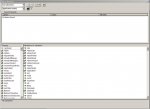
üstat sen dedikten sonra baktım yine bulamadım. Ben excel 2002 kullanıyorum. makro sayfasında "Object Browser" tıklıyorum PGUP diye arattım çıkmıyor.

Cahillimiği hoş görerek bunu nasıl yaptığını biraz daha açıklarmısın. Galiba ben bakmayı bilmiyorum.

saygılarımla
 
"application.onkey" şeklinde aramanız gerekiyor.
 
üstat arattım oda çıkmadı. resmini gönderiyorum. yanlış yere mi yazıyorum.

yoksa benim help dosyam eksik mi?
 

Ekli dosyalar

  • Resim.JPG
    Resim.JPG
    77.3 KB · Görüntüleme: 15
Bu sefer, ben yanlış yazmışım. Sadece "Onkey" yazın.
 
üstat şimdi oldu teşekkür ederim. Senide yordum üstat sağol İyi çalışmalar.
 
Rica ederim. Yardımcı olabildiysem...
 
Geri
Üst