kemal turan
Altın Üye
- Katılım
- 10 Haziran 2011
- Mesajlar
- 1,677
- Excel Vers. ve Dili
- Excel 2010 32 bit
Merhaba,
Aşağıdaki kod ile listview e veri alıyorum.
25 nci sutun ödeme tarihi dir.
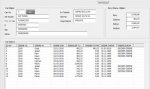
.Add , , SH1.Cells(sat, 25).Value kodu sutununda veri olmadığı halde listview e tarih bilgisi getiriyor.
sutunda veri yok ise listview de boş gürünmesi için kod düzenlemesine ihtiyacım var.
Teşekkür ederim
Aşağıdaki kod ile listview e veri alıyorum.
25 nci sutun ödeme tarihi dir.
.Add , , SH1.Cells(sat, 25).Value kodu sutununda veri olmadığı halde listview e tarih bilgisi getiriyor.
sutunda veri yok ise listview de boş gürünmesi için kod düzenlemesine ihtiyacım var.
Teşekkür ederim
Kod:
Private Sub TextBox1_Change()

Set SH1 = Sheets("ALACAKLAR")
ara = TextBox1.Value
    Set bulunacak = SH1.Range("J2:J50000").Find(ara, LookAt:=xlPart) 'VERİ HANGİ SÜTUNDA ARANACAK
    If Not bulunacak Is Nothing Then
       Adres = bulunacak.Address
       ListView1.ListItems.Clear
       Do
            sat = bulunacak.Row
            With ListView1
               .ListItems.Add , , SH1.Cells(sat, 1)
                X = X + 1
                With .ListItems(X).ListSubItems
                     .Add , , SH1.Cells(sat, 20)
                     .Add , , SH1.Cells(sat, 21)
                     .Add , , format(CDate(SH1.Cells(sat, 22).Value), "DD.MM.YYYY")
                     .Add , , format(CDbl(SH1.Cells(sat, 23).Value), "#,##0.00")
                     .Add , , format(CDbl(SH1.Cells(sat, 24).Value), "#,##0.00")
                     .Add , , SH1.Cells(sat, 25).Value
                     .Add , , SH1.Cells(sat, 26).Value
                     .Add , , sat
                End With
            End With
            Set bulunacak = SH1.Range("J2:J50000").FindNext(bulunacak)
        Loop While Not bulunacak Is Nothing And bulunacak.Address <> Adres
    Else
        MsgBox "ARANAN KİŞİ BİLGİLERİ KAYITLI DEĞİL", vbCritical, "ARAMA SONUCUNDA HATA"
        ListView1.ListItems.Clear

    End If
    odemehesap
End Sub