- Katılım
- 5 Eylül 2007
- Mesajlar
- 1,247
- Excel Vers. ve Dili
- ofis 2010
DOSYA İndirmek/Yüklemek için ÜCRETLİ ALTIN ÜYELİK Gereklidir!
Altın Üyelik Hakkında Bilgi

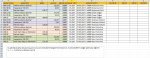
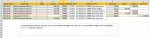
Sub hesaplari_kaydir()
   'Oluşturulan sonuçlar siliniyor.
   sonsatir = Cells(Rows.Count, "A").End(3).Row
   sonsutun = Cells(1, Columns.Count).End(xlToLeft).Column + 1
   Range(Cells(1, 8), Cells(sonsatir, sonsutun)).Clear

   '600 olmayan hesaplar için kolonlar oluşturuluyor
   For i = 2 To sonsatir
     hesap3 = Left(Cells(i, 1).Value, 3)
     hesap = Cells(i, 1).Value
     If hesap3 <> "600" Then
        sonsutun = Cells(1, Columns.Count).End(xlToLeft).Column + 1
        buldu = False
        For j = 8 To sonsutun
           bilgi = Cells(1, j).Value
           If bilgi = hesap Then
              buldu = True
              Exit For
           End If
        Next j
        If buldu = False Then
           Cells(1, sonsutun).Value = hesap
        End If
     End If
   Next i
   sonsutun = Cells(1, Columns.Count).End(xlToLeft).Column

   '600 olmayan hesaplara tutarlar yazılıyor
   For i = 2 To sonsatir
     hesap3 = Left(Cells(i, 1).Value, 3)
     hesap = Cells(i, 1).Value
     tutar = 0
     If Cells(i, "C").Value > 0 Then tutar = Cells(i, "C").Value Else tutar = Cells(i, "D").Value

     If hesap3 = "600" Then
        satir = i
     Else
        For j = 8 To sonsutun
           bilgi = Cells(1, j).Value
           If bilgi = hesap Then
              Cells(satir, j).Value = tutar
              Exit For
           End If
        Next j
     End If
   Next i

   '600 olmayan hesaplar siliniyor
   For i = sonsatir To 2 Step -1
     hesap3 = Left(Cells(i, 1).Value, 3)
     If hesap3 <> "600" Then
       Rows(i).Delete
     End If
   Next i

End SubAşağıdaki şekilde deneyiniz.
Kod:Sub hesaplari_kaydir() 'Oluşturulan sonuçlar siliniyor. sonsatir = Cells(Rows.Count, "A").End(3).Row sonsutun = Cells(1, Columns.Count).End(xlToLeft).Column + 1 Range(Cells(1, 8), Cells(sonsatir, sonsutun)).Clear '600 olmayan hesaplar için kolonlar oluşturuluyor For i = 2 To sonsatir hesap3 = Left(Cells(i, 1).Value, 3) hesap = Cells(i, 1).Value If hesap3 <> "600" Then sonsutun = Cells(1, Columns.Count).End(xlToLeft).Column + 1 buldu = False For j = 8 To sonsutun bilgi = Cells(1, j).Value If bilgi = hesap Then buldu = True Exit For End If Next j If buldu = False Then Cells(1, sonsutun).Value = hesap End If End If Next i sonsutun = Cells(1, Columns.Count).End(xlToLeft).Column '600 olmayan hesaplara tutarlar yazılıyor For i = 2 To sonsatir hesap3 = Left(Cells(i, 1).Value, 3) hesap = Cells(i, 1).Value tutar = 0 If Cells(i, "C").Value > 0 Then tutar = Cells(i, "C").Value Else tutar = Cells(i, "D").Value If hesap3 = "600" Then satir = i Else For j = 8 To sonsutun bilgi = Cells(1, j).Value If bilgi = hesap Then Cells(satir, j).Value = tutar Exit For End If Next j End If Next i '600 olmayan hesaplar siliniyor For i = sonsatir To 2 Step -1 hesap3 = Left(Cells(i, 1).Value, 3) If hesap3 <> "600" Then Rows(i).Delete End If Next i End Sub