- Katılım
- 13 Ekim 2017
- Mesajlar
- 178
- Excel Vers. ve Dili
- 2003-tr
Merhaba arkadaşlar;
Geçenlerde benzer bir konu için yardım istemiştim ve sonunda aradığım kodu buldum. Kodu yazan ve paylaşan arkadaşa teşekkürler. Ben sadece sizler için anlatımlı izahını yapacağım.
ÖRNEK EXCEL EKTEDİR.
İLK OLARAK GMAİL GÜVENLİK AYARLARINDAN
"Daha az güvenli uygulamaların erişimini"'Nİ AÇIN
SONRA ÇIKIN VE TEKRAR GİRİN.
BURASI MAİL BİLGİLERİNİN YERLEŞTİRİLDİĞİ KOD.
.Subject = KONU
.From = GÖNDEREN
.To = GÖNDERİLEN
.CC = CC - ETİKET
.BCC = BUNU BENDE BİLMİYORUM.
.TextBody = MAİLİN İÇERİĞİ
.AddAttachment = DOSYA EKİ
BU KISIMDAN KULLANICI BİLGİLERİNİZİ GİRİYORSUNUZ. ŞİFRE VE MAİL ADRESİ.
Geri kalanı excelde görebilirsiniz. Umarım birilerinin işine yarar.
KODLARIN TAMAMI:
Geçenlerde benzer bir konu için yardım istemiştim ve sonunda aradığım kodu buldum. Kodu yazan ve paylaşan arkadaşa teşekkürler. Ben sadece sizler için anlatımlı izahını yapacağım.
ÖRNEK EXCEL EKTEDİR.
İLK OLARAK GMAİL GÜVENLİK AYARLARINDAN
"Daha az güvenli uygulamaların erişimini"'Nİ AÇIN
SONRA ÇIKIN VE TEKRAR GİRİN.
BURASI MAİL BİLGİLERİNİN YERLEŞTİRİLDİĞİ KOD.
Kod:
    With NewMail
        .Subject = Range("B3").Value
        .From = Range("B1").Value
        .To = Range("B2").Value
        .CC = Range("B4").Value
        .BCC = ""
        .TextBody = Range("B5").Value
    If Range("B14").Value <> "" Then
        .AddAttachment Range("B14").Value
    End If
    End With
.Subject = KONU
.From = GÖNDEREN
.To = GÖNDERİLEN
.CC = CC - ETİKET
.BCC = BUNU BENDE BİLMİYORUM.
.TextBody = MAİLİN İÇERİĞİ
.AddAttachment = DOSYA EKİ
BU KISIMDAN KULLANICI BİLGİLERİNİZİ GİRİYORSUNUZ. ŞİFRE VE MAİL ADRESİ.
Kod:
        .Item(msConfigURL & "/sendusername") = "MAİL ADRESİNİZ"
        .Item(msConfigURL & "/sendpassword") = "ŞİFRENİZ"
Geri kalanı excelde görebilirsiniz. Umarım birilerinin işine yarar.
KODLARIN TAMAMI:
Kod:
Sub Gmail_Gönder()
On Error GoTo Err
Dim NewMail As Object
Dim mailConfig As Object
Dim fields As Variant
Dim msConfigURL As String

Set NewMail = CreateObject("CDO.Message")
Set mailConfig = CreateObject("CDO.Configuration")

' load all default configurations
mailConfig.Load -1

Set fields = mailConfig.fields

'Set All Email Properties

    With NewMail
        .Subject = Range("B3").Value
        .From = Range("B1").Value
        .To = Range("B2").Value
        .CC = Range("B4").Value
        .BCC = ""
        .TextBody = Range("B5").Value
    If Range("B14").Value <> "" Then
        .AddAttachment Range("B14").Value
    End If
    End With

    msConfigURL = "http://schemas.microsoft.com/cdo/configuration"

    With fields
        'Enable SSL Authentication
        .Item(msConfigURL & "/smtpusessl") = True

        'Make SMTP authentication Enabled=true (1)
        .Item(msConfigURL & "/smtpauthenticate") = 1

        'Set the SMTP server and port Details
        'To get these details you can get on Settings Page of your Gmail Account
        .Item(msConfigURL & "/smtpserver") = "smtp.gmail.com"
        .Item(msConfigURL & "/smtpserverport") = 465
        .Item(msConfigURL & "/sendusing") = 2

        'Set your credentials of your Gmail Account
        .Item(msConfigURL & "/sendusername") = "MAİL ADRESİNİZ"
        .Item(msConfigURL & "/sendpassword") = "ŞİFRENİZ"

        'Update the configuration fields
        .Update

    End With
    NewMail.Configuration = mailConfig
    NewMail.Send
    MsgBox ("Mail Gönderildi")

Exit_Err:

    Set NewMail = Nothing
    Set mailConfig = Nothing
    End

Err:
    Select Case Err.Number

    Case -2147220973  'Could be because of Internet Connection
        MsgBox " İnternet Bağlantısı Yok !!  -- " & Err.Description

    Case -2147220975  'Incorrect credentials User ID or password
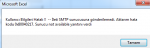
        MsgBox "Kullanıcı Bilgileri Hatalı !!  -- " & Err.Description

    Case Else   'Rest other errors
        MsgBox "Mail gönderme başarısız !!  -- " & Err.Description
    End Select

    Resume Exit_Err
End Sub