

• DİKKAT

    DOSYA İndirmek/Yüklemek için ÜCRETLİ ALTIN ÜYELİK Gereklidir!
    Altın Üyelik Hakkında Bilgi

veri çekmek

Katılım
5 Eylül 2007
Mesajlar
1,247
Excel Vers. ve Dili
ofis 2010
iyi akşamlar ; ana çalışma kitabında 2014-2015-2016-2017 gibi çalışma sayfaları var. 2014-2015-2016-2017 gibi ayrıca çalışma kitapları var. hepsinin sayfa1'de verileri tek tek
Kod:
Private Sub CommandButton1_Click()
Dim conn As Object, rs As Object, sonsat As Long
Set conn = CreateObject("adodb.connection")
Set rs = CreateObject("adodb.recordset")
sonsat = Cells(Rows.Count, "A").End(xlUp).Row + 1
conn.Open "provider=microsoft.ace.oledb.12.0;data source=" & _
        ThisWorkbook.Path & "\2014.xlsx;extended properties=""excel 12.0;hdr=no;imex1"""
rs.Open "select * from [Sayfa1$];", conn, 1, 3
Application.ScreenUpdating = False
If rs.RecordCount > 0 Then Range("A" & sonsat).CopyFromRecordset rs
Application.ScreenUpdating = True
rs.Close
conn.Close
Set rs = Nothing:  Set conn = Nothing
MsgBox "Veriler aktarıldı." & vbLf & "evrengizlen@hotmail.com"
End Sub
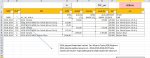
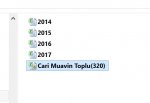
makrosuyla tek tek çalışma sayfalarına çekebiliyorum. bunları tek makro ile yapmam mümkün olabilir mi? Teşekkürler.
 

Ekli dosyalar

  • 1 resim.jpg
    1 resim.jpg
    270.9 KB · Görüntüleme: 4
  • 2 resim.jpg
    2 resim.jpg
    16.9 KB · Görüntüleme: 2
  • Cari.rar
    Cari.rar
    129.4 KB · Görüntüleme: 13
Merhaba
Dosyanıza bakma imkanım yok ama anlatımınıza göre şöyle olur görünüyor.
Kod:
[SIZE="2"]Private Sub CommandButton1_Click()
[COLOR="Blue"]Dim ds()
Dim y As Long[/COLOR]
Dim conn As Object, rs As Object, sonsat As Long
[COLOR="Blue"]ds = Array("2014", "2015", "2016", "2017")[/COLOR]
[COLOR="Blue"]For y = 0 To UBound(ds)[/COLOR]
Set conn = CreateObject("adodb.connection")
Set rs = CreateObject("adodb.recordset")
sonsat = [COLOR="Blue"]Sheets(ds(y)).[/COLOR]Cells(Rows.Count, "A").End(xlUp).Row + 1
conn.Open "provider=microsoft.ace.oledb.12.0;data source=" & _
        ThisWorkbook.Path & "\[COLOR="Blue"]" & ds(y) & "[/COLOR].xlsx;extended properties=""excel 12.0;hdr=no;imex1"""
rs.Open "select * from [Sayfa1$];", conn, 1, 3
Application.ScreenUpdating = False
If rs.RecordCount > 0 Then [COLOR="Blue"]Sheets(ds(y)).[/COLOR]Range("A" & sonsat).CopyFromRecordset rs
[COLOR="Red"]With Sheets(ds(y))
.Range("A2:I" & .Range("I65656").End(3).Row).Font.Name = "Calibri" 'yazı fontu
.Range("A2:J" & .Range("J65656").End(3).Row).Font.Size = 10 'yazı tipi boyutu
.Range("D2:G" & .Range("G65656").End(3).Row).NumberFormat = "#,##0.00"
End With[/COLOR]
Application.ScreenUpdating = True
rs.Close
conn.Close
Set rs = Nothing:  Set conn = Nothing
[COLOR="Blue"]Next[/COLOR]
MsgBox "Veriler aktarıldı." & vbLf & "evrengizlen@hotmail.com"
End Sub[/SIZE]
 
Son düzenleme:
sorunsuz çalışıyor

Merhaba
Dosyanıza bakma imkanım yok ama anlatımınıza göre şöyle olur görünüyor.
Kod:
[SIZE="2"]Private Sub CommandButton1_Click()
[COLOR="Blue"]Dim ds()
Dim y As Long[/COLOR]
Dim conn As Object, rs As Object, sonsat As Long
[COLOR="Blue"]ds = Array("2014", "2015", "2016", "2017")[/COLOR]
[COLOR="Blue"]For y = 0 To UBound(ds)[/COLOR]
Set conn = CreateObject("adodb.connection")
Set rs = CreateObject("adodb.recordset")
sonsat = [COLOR="Blue"]Sheets(ds(y)).[/COLOR]Cells(Rows.Count, "A").End(xlUp).Row + 1
conn.Open "provider=microsoft.ace.oledb.12.0;data source=" & _
        ThisWorkbook.Path & "\[COLOR="Blue"]" & ds(y) & "[/COLOR].xlsx;extended properties=""excel 12.0;hdr=no;imex1"""
rs.Open "select * from [Sayfa1$];", conn, 1, 3
Application.ScreenUpdating = False
If rs.RecordCount > 0 Then [COLOR="Blue"]Sheets(ds(y)).[/COLOR]Range("A" & sonsat).CopyFromRecordset rs
Application.ScreenUpdating = True
rs.Close
conn.Close
Set rs = Nothing:  Set conn = Nothing
[COLOR="Blue"]Next[/COLOR]
MsgBox "Veriler aktarıldı." & vbLf & "evrengizlen@hotmail.com"
End Sub[/SIZE]

Teşekkür ederim, sorunsuz çalışıyor bu şekilde işimi halledebiliyorum. ama görsellik açısından öncele
Kod:
Sheets("Sayfa1").Select
Sheets("Sayfa1").Range("A2:I" & Range("I65656").End(3).Row).Font.Name = "Calibri" 'yazı fontu
Sheets("Sayfa1").Select
Sheets("Sayfa1").Range("A2:J" & Range("J65656").End(3).Row).Font.Size = 10 'yazı tipi boyutu
'Sheets("VERI").Select  ' konumlanma
Sheets("Sayfa1").Select
Sheets("Sayfa1").Range("D:G" &  Range("G65656").End(3).Row).NumberFormat = "#,##0.00"[CODE] böyle bir kod ilavesi mümkün olabilir mi?.
 
Yukarıdaki değişen kodlardaki kırmızı satırları deneyin
Yalnız son mesajınıza göredir boyut ve font ların uygulandığı sütun aralıkları uyumsuz görünüyor, öyle gerekli değilse değişirsiniz.
Kod:
.Range("A2:[COLOR="Blue"]I" & .Range("I6[/COLOR]5656")
.Range("A2:[COLOR="Blue"]J" & .Range("J[/COLOR]65656")
 
sorunsuz çalışıyor

Yukarıdaki değişen kodlardaki kırmızı satırları deneyin
Yalnız son mesajınıza göredir boyut ve font ların uygulandığı sütun aralıkları uyumsuz görünüyor, öyle gerekli değilse değişirsiniz.
Kod:
.Range("A2:[COLOR="Blue"]I" & .Range("I6[/COLOR]5656")
.Range("A2:[COLOR="Blue"]J" & .Range("J[/COLOR]65656")
ilgili değişikliği yaptım, teşekkürler. Kolay gelsin.
 
Geri
Üst