- Katılım
- 1 Aralık 2016
- Mesajlar
- 58
- Excel Vers. ve Dili
- 2014
DOSYA İndirmek/Yüklemek için ÜCRETLİ ALTIN ÜYELİK Gereklidir!
Altın Üyelik Hakkında Bilgi

.
Mobilden yazdığım için test edemiyorum
Makro kaydet ile denediniz mi.
.
.
Kodlar nedir?
.
Sub Makro1()
'
' Makro1 Makro
'

'
    ActiveSheet.Shapes.Range(Array("Picture 13")).Select
End SubSub Sub Makro1()
For i = 1 To ActiveSheet.Shapes.Count
ActiveSheet.Shapes(i).Select
Selection.Height = Selection.Height / 2
Next
End Sub
Sub Makro1()
    ActiveSheet.Shapes.Range(Array("Picture 1")).Select
    Application.SendKeys ("%JSTABUPTAB")
End SubSub Makro1()
ActiveSheet.Shapes.Range(Array("Picture 1")).Select
Application.SendKeys ("%JSTABUPTAB[COLOR="Red"]~[/COLOR]")
End SubAşağıdaki kod sayfadaki resimlerin yüksekliğini yarıya düşürür.Kod:Sub Sub Makro1() For i = 1 To ActiveSheet.Shapes.Count ActiveSheet.Shapes(i).Select Selection.Height = Selection.Height / 2 Next End Sub
Merhaba,
Makro kaydet ile ilgili menüye ait işlemler oluşmuyor.
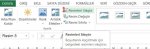
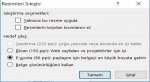
Aşağıdaki kod ilgili menüyü açıyor.
Kod:Sub Makro1() ActiveSheet.Shapes.Range(Array("Picture 1")).Select Application.SendKeys ("%JSTABUPTAB") End Sub
Koda küçük bir ilave yapınca enter tuşuna da basıp menüyü kapatıyor. Fakat doğru seçeneği seçip seçmediğini anlamıyorsunuz.
Kod:Sub Makro1() ActiveSheet.Shapes.Range(Array("Picture 1")).Select Application.SendKeys ("%JSTABUPTAB[COLOR="Red"]~[/COLOR]") End Sub
Sub compress()
Application.CommandBars.FindControl(Id:=6382).Execute
SendKeys "%A%W{ENTER}", False
End SubSub Compress_PIX()
Dim octl As CommandBarControl
With Selection
Set octl = Application.CommandBars.FindControl(ID:=6382)
Application.SendKeys "%e~"
Application.SendKeys "%a~"
octl.Execute
End With
End Sub Sub foto()
Dim obce As Object
Dim caart As Chart
for q = 1 to ActiveSheet.Shapes.count
if left(ActiveSheet.Shapes(q).name, 7) = "Picture" then
Set obce = ActiveSheet.Shapes(q)
obce.Select
With Selection
.CopyPicture 1, 2
en = .Width / 2
boy = .Height / 2
sol = .Left
üst = .Top
Set caart = ActiveSheet.ChartObjects.Add(1, 1, en, boy).Chart
With caart
.Paste
.Export "d:\test.jpg" 'nereye çıkartılacaksa
.Parent.Delete
End With
.Delete
End With
Set jipeg = Nothing
Set obce = Nothing
With ActiveSheet.Pictures.Insert("d:\test.jpg")
With .ShapeRange
.LockAspectRatio = msoTrue
.Width = en * 2
.Height = boy * 2
.Left = sol
.Top = üst
End With
.Placement = 1
.PrintObject = True
End With
end if
next
End SubBiraz araştırdım, bulduğum kodları derledim. İlk önce, dışarıya D sürücüsüne "Test.jpg" olarak kaydediyor. Tekrar alıp boyutlandırıyor. Bende sonuç veriyor. 3.89 MB boyutundaki dosya 392 KB ye düşüyor. Ancak En boy oranında küçük oynama oluyor.
Örnek:
Boyu : 1400 >>> 1440 olarak doğru
Eni : 2560 >>> 2557,00952148438
Kod:Sub foto() Dim obce As Object Dim caart As Chart Set obce = ActiveSheet.Shapes(1) obce.Select With Selection .CopyPicture 1, 2 en = .Width / 2 boy = .Height / 2 sol = .Left üst = .Top Set caart = ActiveSheet.ChartObjects.Add(1, 1, en, boy).Chart With caart .Paste .Export "d:\test.jpg" 'nereye çıkartılacaksa .Parent.Delete End With .Delete End With Set jipeg = Nothing Set obce = Nothing With ActiveSheet.Pictures.Insert("d:\test.jpg") With .ShapeRange .LockAspectRatio = msoTrue .Width = en * 2 .Height = boy * 2 .Left = sol .Top = üst End With .Placement = 1 .PrintObject = True End With End Sub
#13 nolu mesajı yeniledim. Eğer varsayılan resim (shape) isimleri "Picture" diye başlıyorsa işnizi görür diye düşünüyorum.