• DİKKAT

    DOSYA İndirmek/Yüklemek için ÜCRETLİ ALTIN ÜYELİK Gereklidir!
    Altın Üyelik Hakkında Bilgi

Outlook Mesajından Bilgi Çekmek

  • Konbuyu başlatan Konbuyu başlatan BedriA
  • Başlangıç tarihi Başlangıç tarihi
Katılım
3 Haziran 2017
Mesajlar
797
Excel Vers. ve Dili
2007, 32
Değerli Arkadaşlar,

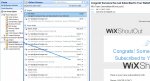
İnternet siteme abone olunduğunda otomatik mesaj alıyorum.
Bu mesajlarda abone olan kişinin adı ve e-posta adresi yer alıyor.

Başka bir excel dosyasındaki makro ile bu mail adresini almam mümkün mü?

Gönderici: Wix Sİte
Konu: Congrats! Someone Has Just Subscribed to Your Website

Mesaj da ekteki foto gibi...
 

Ekli dosyalar

  • Screenshot_1.jpg
    Screenshot_1.jpg
    150.7 KB · Görüntüleme: 9
Son düzenleme:
@Haluk Hoca'nın paylaştığı bir kod buldum,
uyarlamaya çalışacağım.

Kod:
Sub Test()
    '
    ' Raider ® - 22/09/2006
    '
    Dim OutApp As Object, OutFolder As Object
    Dim MyMail As Object, MailItems As Object
    Dim i As Long, j As Long
    
    Cells.ClearContents
    Set OutApp = CreateObject("Outlook.Application")
    Set OutFolder = OutApp.GetNamespace("MAPI").GetDefaultFolder(6)
    Set MailItems = OutFolder.Items
    
    For Each MyMail In MailItems
        If LCase(MyMail.Subject) = "test" Then
            i = i + 1
            For j = 1 To Len(MyMail.body)
                If Mid(MyMail.body, j, 1) = Chr(10) Then
                    i = i + 1
                Else
                    Cells(i, 1) = Cells(i, 1) + Mid(MyMail.body, j, 1)
                    Cells(i, 1) = Replace(Cells(i, 1), Chr(13), Empty)
                End If
            Next
        End If
    Next
    MsgBox "Konusu - (Subject) ''test'' olan tüm e-maillerin içeriği sayfaya işlendi"
End Sub
 
Konu kısmını değiştirdim, herhangi bir hata da almıyorum, "Sayfaya işlendi" diye mesaj da veriyor ama sayfada bilgi yok.

Not: Mailler Gmal Gelen kutusuna geliyor.
Ekteki görsele bakınız.
 

Ekli dosyalar

  • Screenshot_3.jpg
    Screenshot_3.jpg
    380.1 KB · Görüntüleme: 10
Son düzenleme:
Merhaba
Eklediğiniz resmi görme imkanım yok ama aşağıdaki gibi denermisiniz?
Kod:
[SIZE="2"]Private Sub CommandButton1_Click()
Dim a As Object, b As Object, c As Object
Dim msg
Dim x As Long
Dim s1 As Worksheet
Set s1 = Sheets("[COLOR="Blue"]Sayfa1[/COLOR]")
Set a = CreateObject("Outlook.Application")
Set b = a.GetNamespace("MAPI")
    
      ' Set c = a.GetNamespace("MAPI").Folders("[COLOR="Blue"]bedrihoca[/COLOR]@gmail.com").Folders("Gelen Kutusu")
      'veya
Set c = a.GetNamespace("MAPI").Folders("[COLOR="Blue"]bedrihoca[/COLOR]@gmail.com").Folders(2)
For Each msg In c.Items
   [COLOR="Red"] 'If[/COLOR] Trim(msg) = "[COLOR="Red"]Congrats! Someone Has Just Subscribed to Your Website[/COLOR]" Then
x = s1.Cells(Rows.Count, "A").End(3).Row + 1
If WorksheetFunction.CountIf(s1.Range("B2:B" & x), msg.SenderEmailAddress) = 0 Then
Cells(x, "A") = msg.ReceivedTime
Cells(x, "B") = msg.SenderEmailAddress
Cells(x, "C") = msg
End If:

[COLOR="Red"]'End If[/COLOR]

 Next
End Sub
 [/SIZE]
 
Çok teşekkür ederim hocam.
 
Geri
Üst