



-
DİKKAT DOSYA İndirmek/Yüklemek için ÜCRETLİ ALTIN ÜYELİK Gereklidir!
Altın Üyelik Hakkında Bilgi
Çok eski bir web tarayıcısı kullanıyorsunuz. Bu veya diğer siteleri görüntülemekte sorunlar yaşayabilirsiniz..
Tarayıcınızı güncellemeli veya alternatif bir tarayıcı kullanmalısınız.
Tarayıcınızı güncellemeli veya alternatif bir tarayıcı kullanmalısınız.
Nasıl bir formül uygulaya bilirim
- Konbuyu başlatan meric68
- Başlangıç tarihi

- Katılım
- 19 Nisan 2006
- Mesajlar
- 6,678
- Excel Vers. ve Dili
- Excel 2013-Türkçe
Excel 2016-Türkçe
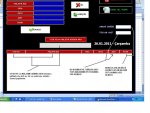
MerhabaMerhaba resimde açıklama yaptım arama kısmını aktif hale gelmesi ambar değerinin toplamı ve malzeme adet toplamı
Adet İçin K1 Hücresine
Kod:
=BAĞ_DEĞ_DOLU_SAY(E3:E60000)Tutar için L1 Hücresine
Kod:
=TOPLA((F3:F60000))TextBoxlarda kod mevcut formülleri yazmanız yeterli olacaktır.
pekala arama için nasıl bir formül uygulaya bilirim yani şöyle anlatayım mesela örnek 1000 adet ürün girdim ve ben bunu adresledim sonra bulmam lazım stok no ve malzeme aramaya malzeme adı ve stok noyu yazdıgımda yer adresini göre bilirmiyim resimdede açıklama var
- Katılım
- 19 Nisan 2006
- Mesajlar
- 6,678
- Excel Vers. ve Dili
- Excel 2013-Türkçe
Excel 2016-Türkçe
Merhabapekala arama için nasıl bir formül uygulaya bilirim yani şöyle anlatayım mesela örnek 1000 adet ürün girdim ve ben bunu adresledim sonra bulmam lazım stok no ve malzeme aramaya malzeme adı ve stok noyu yazdıgımda yer adresini göre bilirmiyim resimdede açıklama var
özel mesajınıza istinaden
İsimle arama yapmak için
Kod:
[COLOR=Red]Private Sub TextBox12_Change()[/COLOR]
Dim sat, s As Integer
Dim deg1, deg2 As String
With ListBox1
.Clear
.ColumnCount = 10
.ColumnWidths = "90;310;60;80;55;67"
End With
For sat = 3 To Cells(65536, "B").End(xlUp).Row
deg1 = UCase(Replace(Replace(Cells(sat, "A"), "ı", "I"), "i", "İ"))
deg2 = UCase(Replace(Replace(TextBox12, "ı", "I"), "i", "İ"))
If deg1 Like "*" & deg2 & "*" Then
ListBox1.AddItem
ListBox1.List(s, 0) = Cells(sat, "a")
ListBox1.List(s, 1) = Cells(sat, "B")
ListBox1.List(s, 2) = Cells(sat, "C")
ListBox1.List(s, 3) = Cells(sat, "D")
ListBox1.List(s, 4) = Cells(sat, "E")
ListBox1.List(s, 5) = Cells(sat, "F")
s = s + 1
End If: Next
TextBox17 = Sheets("1").Range("K1").Value
TextBox18 = Sheets("1").Range("L1").Value
End Sub-
Sizlere daha iyi bir deneyim sunabilmek icin sitemizde çerez konumlandırmaktayız, web sitemizi kullanmaya devam ettiğinizde çerezler ile toplanan kişisel verileriniz Veri Politikamız / Bilgilendirmelerimizde belirtilen amaçlar ve yöntemlerle mevzuatına uygun olarak kullanılacaktır.