- Katılım
- 5 Eylül 2007
- Mesajlar
- 1,247
- Excel Vers. ve Dili
- ofis 2010
iyi günler;
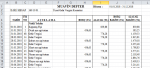
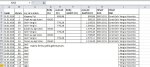
kapalı dosyada userform ile düzenleme yapıyorum. formdan bir üstad yardımcı olmuştu. aynı şekilde çok sık kullandığım bir makroyu da adapte etmeyi denedim ama olmadı. eğer mümkünse eklediğim makro' yuda USERFORM ' daki MUAVİN DÜZENLE butonu ile yapmak istiyorum. üzerinde işlem yapılacak dosya ismi " muavin " makrodaki çalıştırlan makro da " muavin_duzenle " örnek dosyaları ekliyorum. teşekkürler.
kapalı dosyada userform ile düzenleme yapıyorum. formdan bir üstad yardımcı olmuştu. aynı şekilde çok sık kullandığım bir makroyu da adapte etmeyi denedim ama olmadı. eğer mümkünse eklediğim makro' yuda USERFORM ' daki MUAVİN DÜZENLE butonu ile yapmak istiyorum. üzerinde işlem yapılacak dosya ismi " muavin " makrodaki çalıştırlan makro da " muavin_duzenle " örnek dosyaları ekliyorum. teşekkürler.
Kod:
Sub muavin_duzenle()
   Call temizle
   Call bicimle
   Call bos_satir_sil
End Sub

Sub temizle()
   Application.ScreenUpdating = False
   Application.DisplayAlerts = False
   sonsatir = Cells(Rows.Count, "D").End(3).Row
   For i = 1 To sonsatir
     veri = Cells(i, "B").Value
     If veri = "İLGİLİ HESAP" Then
        kod = Cells(i, "D").Value
        aciklama = Cells(i, "F").Value
     End If
     Cells(i, "M").Value = kod
     Cells(i, "N").Value = aciklama
   Next i

   sonsatir = Cells(Rows.Count, "D").End(3).Row
   For i = sonsatir To 2 Step -1
     veri = Cells(i, "B").Value
     nakliyekun = Cells(i, "D").Value
     If veri = "" And nakliyekun <> "Nakli Yekün" Or veri = "TARİH" Or Cells(i, "G") = "MUAVİN DEFTER" Or Cells(i, "B") = "İLGİLİ HESAP" Then
        Rows(i).Delete
     End If
   Next i

   Columns("A:A").Select
   Selection.Delete Shift:=xlToLeft
   Rows("1:1").Select
   Selection.Delete Shift:=xlUp
   Columns("D:F").Select
   Selection.Delete Shift:=xlToLeft
   Columns("H:H").Select
   Selection.Delete Shift:=xlToLeft

   Application.ScreenUpdating = True
   Application.DisplayAlerts = True
End Sub

Sub bicimle()
    Rows("1:1").Select
    Selection.Insert Shift:=xlDown, CopyOrigin:=xlFormatFromLeftOrAbove
    Range("B7").Select
    Rows("1:1").RowHeight = 25.5

    sonsatir = Cells(Rows.Count, "A").End(3).Row
    Range("A1").Select
    ActiveCell.FormulaR1C1 = "TARİH"
    Range("B1").Select
    ActiveCell.FormulaR1C1 = "FİŞ NO"
    Range("C1").Select
    ActiveCell.FormulaR1C1 = "A Ç I K L A M A"
    Range("D1").Select
    ActiveCell.FormulaR1C1 = "BORÇ" & Chr(10) & "(TL)"
    Range("E1").Select
    ActiveCell.FormulaR1C1 = "ALACAK" & Chr(10) & " (TL)"
    Range("F1").Select
    ActiveCell.FormulaR1C1 = "BORÇ" & Chr(10) & " BAKİYE (TL)"
    Range("G1").Select
    ActiveCell.FormulaR1C1 = "ALACAK" & Chr(10) & " BAKİYE (TL)"
    Range("H1").Select
    ActiveCell.FormulaR1C1 = "HESAP" & Chr(10) & "KOD"
    Range("I1").Select
    ActiveCell.FormulaR1C1 = "HESAP" & Chr(10) & "İSMİ"
    Range("I2").Select

    Cells.Select
    Cells.EntireColumn.AutoFit
    Cells.Select
    With Selection.Font
        .Name = "Calibri"
        .Size = 10
        .Strikethrough = False
        .Superscript = False
        .Subscript = False
        .OutlineFont = False
        .Shadow = False
        .Underline = xlUnderlineStyleNone
        .ColorIndex = xlAutomatic
        .TintAndShade = 0
        .ThemeFont = xlThemeFontMinor
    End With
    With Selection.Font
        .Name = "Calibri"
        .Size = 10
        .Strikethrough = False
        .Superscript = False
        .Subscript = False
        .OutlineFont = False
        .Shadow = False
        .Underline = xlUnderlineStyleNone
        .ColorIndex = xlAutomatic
        .TintAndShade = 0
        .ThemeFont = xlThemeFontMinor
    End With
    Selection.Borders(xlDiagonalDown).LineStyle = xlNone
    Selection.Borders(xlDiagonalUp).LineStyle = xlNone
    Selection.Borders(xlEdgeLeft).LineStyle = xlNone
    Selection.Borders(xlEdgeTop).LineStyle = xlNone
    Selection.Borders(xlEdgeBottom).LineStyle = xlNone
    Selection.Borders(xlEdgeRight).LineStyle = xlNone
    Selection.Borders(xlInsideVertical).LineStyle = xlNone
    Selection.Borders(xlInsideHorizontal).LineStyle = xlNone
    With Selection.Interior
        .Pattern = xlNone
        .TintAndShade = 0
        .PatternTintAndShade = 0
    End With
    Range("A1:I" & sonsatir).Select
    Selection.Borders(xlDiagonalDown).LineStyle = xlNone
    Selection.Borders(xlDiagonalUp).LineStyle = xlNone
    With Selection.Borders(xlEdgeLeft)
        .LineStyle = xlContinuous
        .ColorIndex = 0
        .TintAndShade = 0
        .Weight = xlThin
    End With
    With Selection.Borders(xlEdgeTop)
        .LineStyle = xlContinuous
        .ColorIndex = 0
        .TintAndShade = 0
        .Weight = xlThin
    End With
    With Selection.Borders(xlEdgeBottom)
        .LineStyle = xlContinuous
        .ColorIndex = 0
        .TintAndShade = 0
        .Weight = xlThin
    End With
    With Selection.Borders(xlEdgeRight)
        .LineStyle = xlContinuous
        .ColorIndex = 0
        .TintAndShade = 0
        .Weight = xlThin
    End With
    With Selection.Borders(xlInsideVertical)
        .LineStyle = xlContinuous
        .ColorIndex = 0
        .TintAndShade = 0
        .Weight = xlThin
    End With
    With Selection.Borders(xlInsideHorizontal)
        .LineStyle = xlContinuous
        .ColorIndex = 0
        .TintAndShade = 0
        .Weight = xlThin
    End With
    Range("A1:I1").Select
    Selection.Font.Bold = True
    Range("C4").Select
End Sub
Sub bos_satir_sil()
[a:a].SpecialCells(xlCellTypeBlanks).EntireRow.Delete
End Sub