



- Katılım
- 5 Eylül 2007
- Mesajlar
- 1,247
- Excel Vers. ve Dili
- ofis 2010
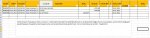
iyi akşamlar; daha önce hazırlanmış kullanmakta olduğum makro bazen hata veriyor. Hesap borçlu olduğunda sıkıntı olmuyor, alacaklı başladığında bakiyeyi göstermeme sorunu oluyor. örnek dosya ekledim.
Kod:
Sub ODENMEYENLER()
On Error Resume Next: ActiveSheet.ShowAllData: Set wf = Application.WorksheetFunction
Columns("M").Delete: Columns("L").ClearContents
Application.ScreenUpdating = False: Application.Calculation = xlCalculationManual
Columns("F").Copy [M1]
For sat = 2 To Cells(Rows.Count, 1).End(3).Row
    If Cells(sat, 3) <> Cells(sat - 1, 3) Then
        kodson = wf.CountIf(Range("C:C"), Cells(sat, 3)) + sat - 1
        tah = wf.Sum(Range("G" & sat & ":G" & kodson))
        For satt = sat To kodson
            If Cells(satt, "M") > 0 And Cells(satt, "M") <= tah Then
                tah = tah - Cells(satt, "M"): Cells(satt, "M") = ""
            ElseIf Cells(satt, "M") > 0 And Cells(satt, "M") > tah Then
                Cells(satt, "M") = Cells(satt, "M") - tah
                tah = 0: Cells(satt, "L") = Cells(satt, "H")
            End If: Next: tah = 0: sat = satt - 1
    End If: Next
Range("A1:M1").AutoFilter: Range("A1:M1").AutoFilter
ActiveSheet.Range("A1:M1").AutoFilter Field:=12, Criteria1:="<>"
Application.ScreenUpdating = True: Application.Calculation = xlCalculationAutomatic
MsgBox "İşlem tamamlandı..", vbInformation, "..:: Ö. BARAN ::.."
End Sub
Ekli dosyalar
Son düzenleme: