- Katılım
- 5 Eylül 2007
- Mesajlar
- 1,247
- Excel Vers. ve Dili
- ofis 2010
DOSYA İndirmek/Yüklemek için ÜCRETLİ ALTIN ÜYELİK Gereklidir!
Altın Üyelik Hakkında Bilgi

Sub menu()
   Call temizle
   Call bicimle
End Sub

Sub temizle()
   Application.ScreenUpdating = False
   Application.DisplayAlerts = False
   sonsatir = Cells(Rows.Count, "D").End(3).Row
   For i = 1 To sonsatir
     veri = Cells(i, "B").Value
     If veri = "İLGİLİ HESAP" Then
        kod = Cells(i, "D").Value
        aciklama = Cells(i, "F").Value
     End If
     Cells(i, "M").Value = kod
     Cells(i, "N").Value = aciklama
   Next i

   sonsatir = Cells(Rows.Count, "D").End(3).Row
   For i = sonsatir To 2 Step -1
     veri = Cells(i, "B").Value
     nakliyekun = Cells(i, "D").Value
     If veri = "" And nakliyekun <> "Nakli Yekün" Or veri = "TARİH" Or Cells(i, "G") = "MUAVİN DEFTER" Or Cells(i, "B") = "İLGİLİ HESAP" Then
        Rows(i).Delete
     End If
   Next i

   Columns("A:A").Select
   Selection.Delete Shift:=xlToLeft
   Rows("1:1").Select
   Selection.Delete Shift:=xlUp
   Columns("D:F").Select
   Selection.Delete Shift:=xlToLeft
   Columns("H:H").Select
   Selection.Delete Shift:=xlToLeft

   Application.ScreenUpdating = True
   Application.DisplayAlerts = True
End Sub

Sub bicimle()
    Rows("1:1").Select
    Selection.Insert Shift:=xlDown, CopyOrigin:=xlFormatFromLeftOrAbove
    Range("B7").Select
    Rows("1:1").RowHeight = 25.5

    sonsatir = Cells(Rows.Count, "A").End(3).Row
    Range("A1").Select
    ActiveCell.FormulaR1C1 = "TARİH"
    Range("B1").Select
    ActiveCell.FormulaR1C1 = "FİŞ NO"
    Range("C1").Select
    ActiveCell.FormulaR1C1 = "A Ç I K L A M A"
    Range("D1").Select
    ActiveCell.FormulaR1C1 = "BORÇ" & Chr(10) & "(TL)"
    Range("E1").Select
    ActiveCell.FormulaR1C1 = "ALACAK" & Chr(10) & " (TL)"
    Range("F1").Select
    ActiveCell.FormulaR1C1 = "BORÇ" & Chr(10) & " BAKİYE (TL)"
    Range("G1").Select
    ActiveCell.FormulaR1C1 = "ALACAK" & Chr(10) & " BAKİYE (TL)"
    Range("H1").Select
    ActiveCell.FormulaR1C1 = "HESAP" & Chr(10) & "KOD"
    Range("I1").Select
    ActiveCell.FormulaR1C1 = "HESAP" & Chr(10) & "İSMİ"
    Range("I2").Select

    Cells.Select
    Cells.EntireColumn.AutoFit
    Cells.Select
    With Selection.Font
        .Name = "Calibri"
        .Size = 10
        .Strikethrough = False
        .Superscript = False
        .Subscript = False
        .OutlineFont = False
        .Shadow = False
        .Underline = xlUnderlineStyleNone
        .ColorIndex = xlAutomatic
        .TintAndShade = 0
        .ThemeFont = xlThemeFontMinor
    End With
    With Selection.Font
        .Name = "Calibri"
        .Size = 10
        .Strikethrough = False
        .Superscript = False
        .Subscript = False
        .OutlineFont = False
        .Shadow = False
        .Underline = xlUnderlineStyleNone
        .ColorIndex = xlAutomatic
        .TintAndShade = 0
        .ThemeFont = xlThemeFontMinor
    End With
    Selection.Borders(xlDiagonalDown).LineStyle = xlNone
    Selection.Borders(xlDiagonalUp).LineStyle = xlNone
    Selection.Borders(xlEdgeLeft).LineStyle = xlNone
    Selection.Borders(xlEdgeTop).LineStyle = xlNone
    Selection.Borders(xlEdgeBottom).LineStyle = xlNone
    Selection.Borders(xlEdgeRight).LineStyle = xlNone
    Selection.Borders(xlInsideVertical).LineStyle = xlNone
    Selection.Borders(xlInsideHorizontal).LineStyle = xlNone
    With Selection.Interior
        .Pattern = xlNone
        .TintAndShade = 0
        .PatternTintAndShade = 0
    End With
    Range("A1:I" & sonsatir).Select
    Selection.Borders(xlDiagonalDown).LineStyle = xlNone
    Selection.Borders(xlDiagonalUp).LineStyle = xlNone
    With Selection.Borders(xlEdgeLeft)
        .LineStyle = xlContinuous
        .ColorIndex = 0
        .TintAndShade = 0
        .Weight = xlThin
    End With
    With Selection.Borders(xlEdgeTop)
        .LineStyle = xlContinuous
        .ColorIndex = 0
        .TintAndShade = 0
        .Weight = xlThin
    End With
    With Selection.Borders(xlEdgeBottom)
        .LineStyle = xlContinuous
        .ColorIndex = 0
        .TintAndShade = 0
        .Weight = xlThin
    End With
    With Selection.Borders(xlEdgeRight)
        .LineStyle = xlContinuous
        .ColorIndex = 0
        .TintAndShade = 0
        .Weight = xlThin
    End With
    With Selection.Borders(xlInsideVertical)
        .LineStyle = xlContinuous
        .ColorIndex = 0
        .TintAndShade = 0
        .Weight = xlThin
    End With
    With Selection.Borders(xlInsideHorizontal)
        .LineStyle = xlContinuous
        .ColorIndex = 0
        .TintAndShade = 0
        .Weight = xlThin
    End With
    Range("A1:I1").Select
    Selection.Font.Bold = True
    Range("C4").Select
End SubAşağıdaki şekilde deneyiniz.
Kod:Sub menu() Call temizle Call bicimle End Sub Sub temizle() Application.ScreenUpdating = False Application.DisplayAlerts = False sonsatir = Cells(Rows.Count, "D").End(3).Row For i = 1 To sonsatir veri = Cells(i, "B").Value If veri = "İLGİLİ HESAP" Then kod = Cells(i, "D").Value aciklama = Cells(i, "F").Value End If Cells(i, "M").Value = kod Cells(i, "N").Value = aciklama Next i sonsatir = Cells(Rows.Count, "D").End(3).Row For i = sonsatir To 2 Step -1 veri = Cells(i, "B").Value nakliyekun = Cells(i, "D").Value If veri = "" And nakliyekun <> "Nakli Yekün" Or veri = "TARİH" Or Cells(i, "G") = "MUAVİN DEFTER" Or Cells(i, "B") = "İLGİLİ HESAP" Then Rows(i).Delete End If Next i Columns("A:A").Select Selection.Delete Shift:=xlToLeft Rows("1:1").Select Selection.Delete Shift:=xlUp Columns("D:F").Select Selection.Delete Shift:=xlToLeft Columns("H:H").Select Selection.Delete Shift:=xlToLeft Application.ScreenUpdating = True Application.DisplayAlerts = True End Sub Sub bicimle() Rows("1:1").Select Selection.Insert Shift:=xlDown, CopyOrigin:=xlFormatFromLeftOrAbove Range("B7").Select Rows("1:1").RowHeight = 25.5 sonsatir = Cells(Rows.Count, "A").End(3).Row Range("A1").Select ActiveCell.FormulaR1C1 = "TARİH" Range("B1").Select ActiveCell.FormulaR1C1 = "FİŞ NO" Range("C1").Select ActiveCell.FormulaR1C1 = "A Ç I K L A M A" Range("D1").Select ActiveCell.FormulaR1C1 = "BORÇ" & Chr(10) & "(TL)" Range("E1").Select ActiveCell.FormulaR1C1 = "ALACAK" & Chr(10) & " (TL)" Range("F1").Select ActiveCell.FormulaR1C1 = "BORÇ" & Chr(10) & " BAKİYE (TL)" Range("G1").Select ActiveCell.FormulaR1C1 = "ALACAK" & Chr(10) & " BAKİYE (TL)" Range("H1").Select ActiveCell.FormulaR1C1 = "HESAP" & Chr(10) & "KOD" Range("I1").Select ActiveCell.FormulaR1C1 = "HESAP" & Chr(10) & "İSMİ" Range("I2").Select Cells.Select Cells.EntireColumn.AutoFit Cells.Select With Selection.Font .Name = "Calibri" .Size = 10 .Strikethrough = False .Superscript = False .Subscript = False .OutlineFont = False .Shadow = False .Underline = xlUnderlineStyleNone .ColorIndex = xlAutomatic .TintAndShade = 0 .ThemeFont = xlThemeFontMinor End With With Selection.Font .Name = "Calibri" .Size = 10 .Strikethrough = False .Superscript = False .Subscript = False .OutlineFont = False .Shadow = False .Underline = xlUnderlineStyleNone .ColorIndex = xlAutomatic .TintAndShade = 0 .ThemeFont = xlThemeFontMinor End With Selection.Borders(xlDiagonalDown).LineStyle = xlNone Selection.Borders(xlDiagonalUp).LineStyle = xlNone Selection.Borders(xlEdgeLeft).LineStyle = xlNone Selection.Borders(xlEdgeTop).LineStyle = xlNone Selection.Borders(xlEdgeBottom).LineStyle = xlNone Selection.Borders(xlEdgeRight).LineStyle = xlNone Selection.Borders(xlInsideVertical).LineStyle = xlNone Selection.Borders(xlInsideHorizontal).LineStyle = xlNone With Selection.Interior .Pattern = xlNone .TintAndShade = 0 .PatternTintAndShade = 0 End With Range("A1:I" & sonsatir).Select Selection.Borders(xlDiagonalDown).LineStyle = xlNone Selection.Borders(xlDiagonalUp).LineStyle = xlNone With Selection.Borders(xlEdgeLeft) .LineStyle = xlContinuous .ColorIndex = 0 .TintAndShade = 0 .Weight = xlThin End With With Selection.Borders(xlEdgeTop) .LineStyle = xlContinuous .ColorIndex = 0 .TintAndShade = 0 .Weight = xlThin End With With Selection.Borders(xlEdgeBottom) .LineStyle = xlContinuous .ColorIndex = 0 .TintAndShade = 0 .Weight = xlThin End With With Selection.Borders(xlEdgeRight) .LineStyle = xlContinuous .ColorIndex = 0 .TintAndShade = 0 .Weight = xlThin End With With Selection.Borders(xlInsideVertical) .LineStyle = xlContinuous .ColorIndex = 0 .TintAndShade = 0 .Weight = xlThin End With With Selection.Borders(xlInsideHorizontal) .LineStyle = xlContinuous .ColorIndex = 0 .TintAndShade = 0 .Weight = xlThin End With Range("A1:I1").Select Selection.Font.Bold = True Range("C4").Select End Sub
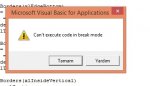
makro hata veriyor
Eklemiş olduğunuz örnek dosya üzerinde deneyiniz.
Ayrıca dosyayı kapatıp açıp yeniden deneyiniz.
=[COLOR="red"]EĞER[/COLOR]([COLOR="red"]YADA[/COLOR]([COLOR="red"]VE[/COLOR](C2="";[COLOR="red"]ESAYIYSA[/COLOR](C3));VE([COLOR="red"]ESAYIYSA[/COLOR](C2);[COLOR="red"]ESAYIYSA[/COLOR](C3));[COLOR="red"]VE[/COLOR]([COLOR="red"]ESAYIYSA[/COLOR](C2);C3=""));[COLOR="red"]MAK[/COLOR]($M$1:M1)+1;"")
=[COLOR="red"]EĞER[/COLOR]([COLOR="red"]SATIR()[/COLOR]-1>[COLOR="red"]MAK[/COLOR](Sayfa1!$M:$M);"";[COLOR="red"]EĞER[/COLOR]([COLOR="red"]KAYDIR[/COLOR](Sayfa1!$A$1;[COLOR="red"]KAÇINCI[/COLOR]([COLOR="red"]SATIR[/COLOR](A1);Sayfa1!$M:$M;0)-1;[COLOR="red"]SÜTUN[/COLOR](A2))=0;"";[COLOR="red"]KAYDIR[/COLOR](Sayfa1!$A$1;[COLOR="red"]KAÇINCI[/COLOR]([COLOR="red"]SATIR[/COLOR](A1);Sayfa1!$M:$M;0)-1;[COLOR="red"]SÜTUN[/COLOR](A2))))
=[COLOR="red"]EĞER[/COLOR]([COLOR="red"]SATIR()[/COLOR]-1>[COLOR="red"]MAK[/COLOR](Sayfa1!$M:$M);"";[COLOR="red"]EĞER[/COLOR]($A2="";[COLOR="red"]KAYDIR[/COLOR]([COLOR="red"]EĞER[/COLOR]([COLOR="red"]SAĞDAN[/COLOR](H$1;3)="KOD";Sayfa1!$D$1;Sayfa1!$F$1);[COLOR="red"]EĞER[/COLOR]($C2="Nakli Yekün";[COLOR="red"]KAÇINCI[/COLOR]([COLOR="Red"]SATIR[/COLOR](A1);Sayfa1!$M:$M;0)-5;3);0);H1))Merhaba.
Konu VBA bölümüne açılmış ama formül ile elde edilmiş sonuç için alternatif çözüm.
-- Sayfa1 M1 hücresine (yardımcı sütun olarak kullanmak üzere) 1'inci formülü uygulayın ve son dolu satıra kadar kopyalayın.
-- rapor sayfası A2 hücresine 2'nci formülü uygulayın ve bu hücreyi KOPYALAyıp sağa doğru G2 hücresine kadar (G2 dahil) ÖZEL YAPIŞTIR => FORMÜLLERİ şeklinde yapıştırın.
-- rapor sayfası H2 hücresine 3'üncü formülü uygulayın ve sağa doğru I2 hücresine kopyalayın.
-- son olarak da A2:I2 aralığını kopyalayın ve aşağı doğru (tüm hücrelerde boş sonuç elde edinceye kadar) yapıştırın.
.Kod:=[COLOR="red"]EĞER[/COLOR]([COLOR="red"]YADA[/COLOR]([COLOR="red"]VE[/COLOR](C2="";[COLOR="red"]ESAYIYSA[/COLOR](C3));VE([COLOR="red"]ESAYIYSA[/COLOR](C2);[COLOR="red"]ESAYIYSA[/COLOR](C3));[COLOR="red"]VE[/COLOR]([COLOR="red"]ESAYIYSA[/COLOR](C2);C3=""));[COLOR="red"]MAK[/COLOR]($M$1:M1)+1;"") =[COLOR="red"]EĞER[/COLOR]([COLOR="red"]SATIR()[/COLOR]-1>[COLOR="red"]MAK[/COLOR](Sayfa1!$M:$M);"";[COLOR="red"]EĞER[/COLOR]([COLOR="red"]KAYDIR[/COLOR](Sayfa1!$A$1;[COLOR="red"]KAÇINCI[/COLOR]([COLOR="red"]SATIR[/COLOR](A1);Sayfa1!$M:$M;0)-1;[COLOR="red"]SÜTUN[/COLOR](A2))=0;"";[COLOR="red"]KAYDIR[/COLOR](Sayfa1!$A$1;[COLOR="red"]KAÇINCI[/COLOR]([COLOR="red"]SATIR[/COLOR](A1);Sayfa1!$M:$M;0)-1;[COLOR="red"]SÜTUN[/COLOR](A2)))) =[COLOR="red"]EĞER[/COLOR]([COLOR="red"]SATIR()[/COLOR]-1>[COLOR="red"]MAK[/COLOR](Sayfa1!$M:$M);"";[COLOR="red"]EĞER[/COLOR]($A2="";[COLOR="red"]KAYDIR[/COLOR]([COLOR="red"]EĞER[/COLOR]([COLOR="red"]SAĞDAN[/COLOR](H$1;3)="KOD";Sayfa1!$D$1;Sayfa1!$F$1);[COLOR="red"]EĞER[/COLOR]($C2="Nakli Yekün";[COLOR="red"]KAÇINCI[/COLOR]([COLOR="Red"]SATIR[/COLOR](A1);Sayfa1!$M:$M;0)-5;3);0);H1))