



Çok eski bir web tarayıcısı kullanıyorsunuz. Bu veya diğer siteleri görüntülemekte sorunlar yaşayabilirsiniz..
Tarayıcınızı güncellemeli veya alternatif bir tarayıcı kullanmalısınız.
Tarayıcınızı güncellemeli veya alternatif bir tarayıcı kullanmalısınız.
Satırda yazılan yazıdan sonra yan satırda otomatik tarih yazmasın
- Konbuyu başlatan latimera
- Başlangıç tarihi
N.Ziya Hiçdurmaz
Özel Üye
- Katılım
- 28 Nisan 2007
- Mesajlar
- 2,218
- Excel Vers. ve Dili
- Office 2013 TR / 32 Bit
yanıt
Sayfa kod bölümüne kodu ekleyiniz.
Sayfa kod bölümüne kodu ekleyiniz.
Kod:
Private Sub Worksheet_Change(ByVal Target As Range)
    If Intersect(Target, [b:b]) Is Nothing Then Exit Sub
        Target.Offset(0, -1) = Date
End SubN.Ziya Hiçdurmaz
Özel Üye
- Katılım
- 28 Nisan 2007
- Mesajlar
- 2,218
- Excel Vers. ve Dili
- Office 2013 TR / 32 Bit
Sayfa sekmesi üzerine sağ klik yapıp kod görüntüle deyiniz. Kodu buraya uygulayacaksınız.
- Katılım
- 11 Nisan 2008
- Mesajlar
- 222
- Excel Vers. ve Dili
- Microsoft Office Excel 2013 / Türkçe
Sayfa sekmesi üzerine sağ klik yapıp kod görüntüle deyiniz. Kodu buraya uygulayacaksınız.
Yardımlarınız ve öğretiniz için teşekkür ederim.
N.Ziya Hiçdurmaz
Özel Üye
- Katılım
- 28 Nisan 2007
- Mesajlar
- 2,218
- Excel Vers. ve Dili
- Office 2013 TR / 32 Bit
yanıt
Kodu ThisWorkbook'un içine uygulayınız.
Kodu ThisWorkbook'un içine uygulayınız.
Kod:
Private Sub Workbook_SheetChange(ByVal Sh As Object, ByVal Target As Range)
    If Intersect(Target, [b:b]) Is Nothing Then Exit Sub
        Target.Offset(0, -1) = Date
        If Target = "" Then
            Target.Offset(0, -1) = ""
        End If
End Sub- Katılım
- 11 Nisan 2008
- Mesajlar
- 222
- Excel Vers. ve Dili
- Microsoft Office Excel 2013 / Türkçe
Kodu ThisWorkbook'un içine uygulayınız.
Kod:Private Sub Workbook_SheetChange(ByVal Sh As Object, ByVal Target As Range) If Intersect(Target, [b:b]) Is Nothing Then Exit Sub Target.Offset(0, -1) = Date If Target = "" Then Target.Offset(0, -1) = "" End If End Sub
Sayın Ziya Bey,
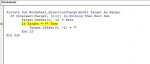
Kodu excel yazdım ama aşağıdaki hatayı verdi ve excel sapıttı... ne yapabiliriz.
Ekli dosyalar
N.Ziya Hiçdurmaz
Özel Üye
- Katılım
- 28 Nisan 2007
- Mesajlar
- 2,218
- Excel Vers. ve Dili
- Office 2013 TR / 32 Bit
- Katılım
- 11 Nisan 2008
- Mesajlar
- 222
- Excel Vers. ve Dili
- Microsoft Office Excel 2013 / Türkçe
Ekli dosyayı inceleyiniz.
Sayn Ziya bey,
ek'teki dosya yazmış olduğunuz makro nun uygulandığı dosya .
1- satırları yazdığımda tarih geç geliyor
2- açıklmayı sildiğimde aradan 2-5 sanayi geçtikten sonra tarihi siliyor.
3- seri işlem yaptığım zaman yukarıdaki hatayı tekrar veriyor.
Not: Sizin yapmış olduğunu makro nun benim dosyada uyguladığım son hali
If Intersect(Target, [c:c]) Is Nothing Then Exit Sub
Target.Offset(0, -2) = Date
If Target = "" Then
Target.Offset(0, -2) = ""
End If
Ekli dosyalar
N.Ziya Hiçdurmaz
Özel Üye
- Katılım
- 28 Nisan 2007
- Mesajlar
- 2,218
- Excel Vers. ve Dili
- Office 2013 TR / 32 Bit
yanıt
Bu şeklil deneyiniz.
Bu şeklil deneyiniz.
Kod:
Private Sub Workbook_SheetChange(ByVal Sh As Object, ByVal Target As Range)
On Error Resume Next
Application.ScreenUpdating = False
Application.Calculation = xlCalculationManual
If Intersect(Target, [c:c]) Is Nothing Then Exit Sub
Target.Offset(0, -2) = Date
If Target = "" Then
Target.Offset(0, -2) = ""
End If
Application.ScreenUpdating = True
Application.Calculation = xlCalculationAutomatic
End Sub- Katılım
- 11 Nisan 2008
- Mesajlar
- 222
- Excel Vers. ve Dili
- Microsoft Office Excel 2013 / Türkçe
Bu şeklil deneyiniz.
Kod:Private Sub Workbook_SheetChange(ByVal Sh As Object, ByVal Target As Range) On Error Resume Next Application.ScreenUpdating = False Application.Calculation = xlCalculationManual If Intersect(Target, [c:c]) Is Nothing Then Exit Sub Target.Offset(0, -2) = Date If Target = "" Then Target.Offset(0, -2) = "" End If Application.ScreenUpdating = True Application.Calculation = xlCalculationAutomatic End Sub
Sayın Ziya bey,
yapmış olduğunuz makroyu ekledim ama tepki vermedi... eksik yapmış olduğum işlem varmı ? Dosya ek'tedir.
Ekli dosyalar
-
Sizlere daha iyi bir deneyim sunabilmek icin sitemizde çerez konumlandırmaktayız, web sitemizi kullanmaya devam ettiğinizde çerezler ile toplanan kişisel verileriniz Veri Politikamız / Bilgilendirmelerimizde belirtilen amaçlar ve yöntemlerle mevzuatına uygun olarak kullanılacaktır.